
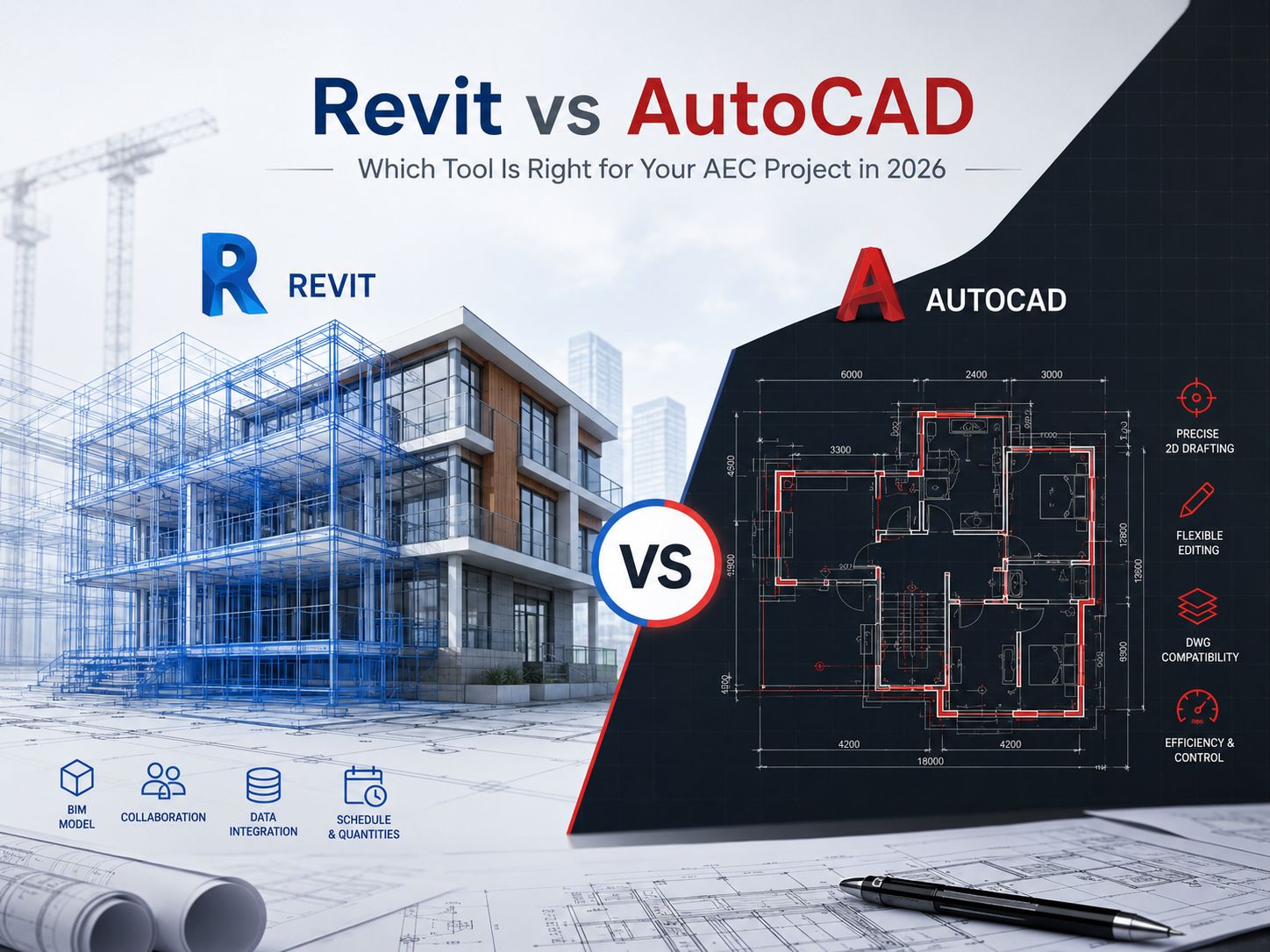
Picking the right software for your construction, engineering, or design project can feel a bit overwhelming. But when you look closely at Revit vs AutoCAD, the choice becomes much simpler once you understand how each tool actually works.
For decades, the central debate for project managers, design directors, and tech leads has centered around two industry titans from Autodesk. Even now, choosing between Revit vs AutoCAD remains a foundational decision for any new venture. While both tools are market-leading design applications, they stem from fundamentally distinct operational philosophies. One serves as a highly flexible digital drafting canvas, while the other functions as an intelligent database that models real-world physics and construction data. Understanding how these tools match up against current industry demands will help ensure your team stays efficient and competitive.
What is AutoCAD?
Launched in the early 1980s, AutoCAD revolutionized design by replacing traditional drafting boards with digital screens. At its core, AutoCAD is a Computer-Aided Design tool that leverages vector-based geometry. Designers use lines, arcs, circles, and polylines to represent real-world objects in a digital workspace.
Because AutoCAD doesn’t automatically attach deep physical properties to these shapes, a line can represent the edge of a concrete foundation wall, an electrical conduit, or a custom furniture outline, depending on the layer it occupies. This geometric flexibility makes it an exceptionally versatile canvas for various disciplines. Over the years, understanding the fundamental AutoCAD and Revit Difference has helped firms realize that AutoCAD excels at precision drafting, schematic detailing, and producing highly customized 2D documentation across countless industries beyond construction, such as manufacturing, aerospace, and electrical engineering.
What is Revit?
Revit was built from the ground up specifically for the AEC sector, operating as a dedicated Building Information Modeling (BIM) platform. Instead of drawing abstract lines to imply architectural features, Revit users build an intelligent, data-driven virtual model using parametric components like actual walls, doors, windows, and structural slabs.
The primary Difference between Revit and AutoCAD lies in this relationship with data. Every component in Revit contains embedded parametric information, such as physical dimensions, structural material properties, thermal values, cost metrics, and manufacturer data. When you place a window in a Revit model, the software dynamically cuts an opening in the wall and tracks that asset globally. If you modify the window’s dimensions in a 3D view, the corresponding 2D floor plans, elevations, sections, and material schedules update automatically across the entire project file, eliminating the need to update individual drawings manually.
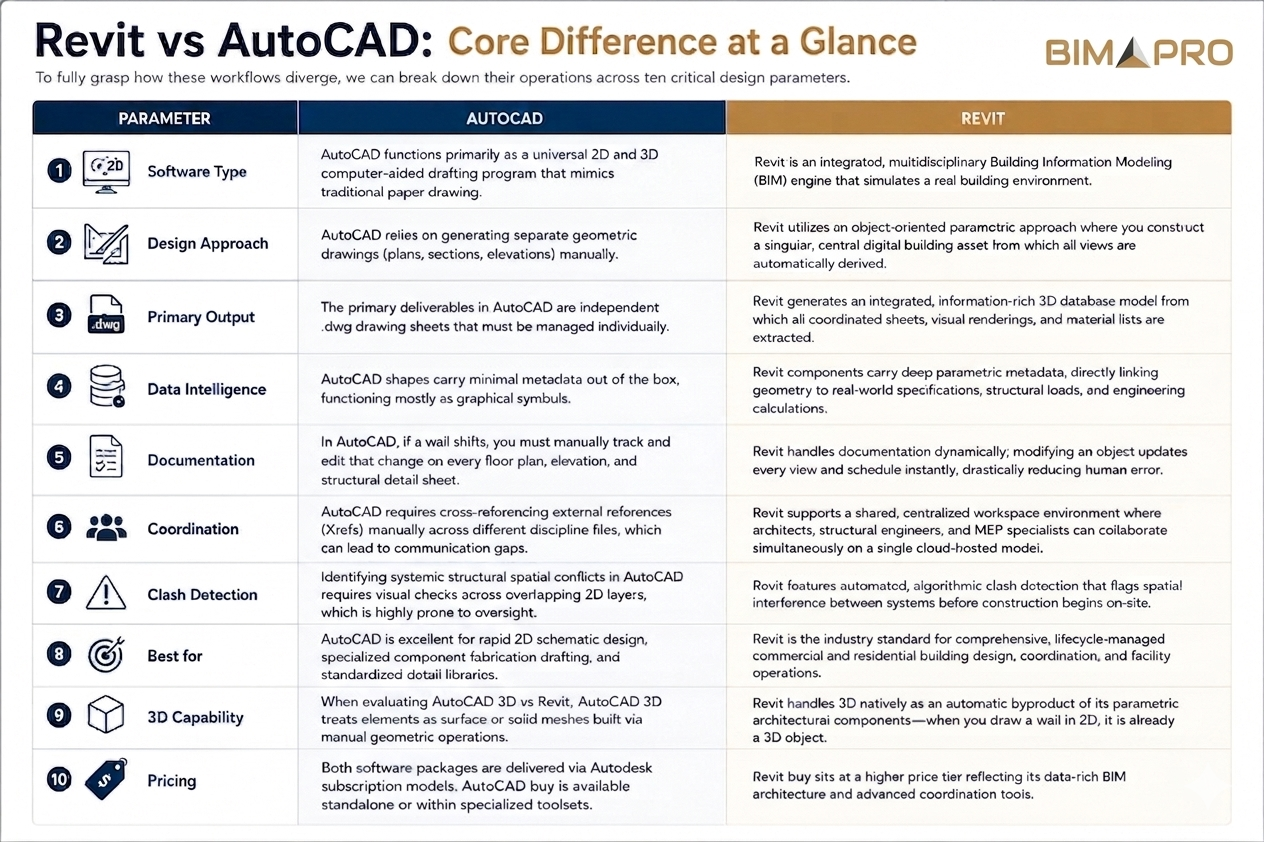
Revit vs AutoCAD: Core Difference at a Glance
To fully grasp how these workflows diverge, we can break down their operations across ten critical design parameters.
- Software Type: AutoCAD functions primarily as a universal 2D and 3D computer-aided drafting program that mimics traditional paper drawing. Revit is an integrated, multidisciplinary Building Information Modeling (BIM) engine that simulates a real building environment.
- Design Approach: AutoCAD relies on generating separate geometric drawings (plans, sections, elevations) manually. Revit utilizes an object-oriented parametric approach where you construct a singular, central digital building asset from which all views are automatically derived.
- Primary Output: The primary deliverables in AutoCAD are independent .dwg drawing sheets that must be managed individually. Revit generates an integrated, information-rich 3D database model from which all coordinated sheets, visual renderings, and material lists are extracted.
- Data Intelligence: AutoCAD shapes carry minimal metadata out of the box, functioning mostly as graphical symbols. Revit components carry deep parametric metadata, directly linking geometry to real-world specifications, structural loads, and engineering calculations.
- Documentation: In AutoCAD, if a wall shifts, you must manually track and edit that change on every floor plan, elevation, and structural detail sheet. Revit handles documentation dynamically; modifying an object updates every view and schedule instantly, drastically reducing human error.
- Coordination: AutoCAD requires cross-referencing external references (Xrefs) manually across different discipline files, which can lead to communication gaps. Revit supports a shared, centralized workspace environment where architects, structural engineers, and MEP specialists can collaborate simultaneously on a single cloud-hosted model.
- Clash Detection: Identifying systemic structural spatial conflicts in AutoCAD requires visual checks across overlapping 2D layers, which is highly prone to oversight. Revit features automated, algorithmic clash detection that flags spatial interference between systems before construction begins on-site.
- Best for: AutoCAD is excellent for rapid 2D schematic design, specialized component fabrication drafting, and standardized detail libraries. Revit is the industry standard for comprehensive, lifecycle-managed commercial and residential building design, coordination, and facility operations.
- 3D Capability: When evaluating AutoCAD 3D vs Revit, AutoCAD 3D treats elements as surface or solid meshes built via manual geometric operations. Revit handles 3D natively as an automatic byproduct of its parametric architectural components—when you draw a wall in 2D, it is already a 3D object.
- Pricing: Both software packages are delivered via Autodesk subscription models. AutoCAD buy is available standalone or within specialized toolsets, whereas Revit buy sits at a higher price tier reflecting its data-rich BIM architecture and advanced coordination tools.
AutoCAD vs Revit for Architects and Interior Designers: Which one should you use in 2026
When choosing a platform for creative architectural design, the choice often depends on your project delivery requirements and delivery scale. Weighing AutoCAD architecture vs Revit reveals that while AutoCAD’s architectural toolset provides helpful automated routines for drawing 2D walls and doors, it still cannot compete with the holistic data environments that modern building owners demand. For general project delivery in 2026, most architecture firms lean heavily on Revit to keep pace with industry BIM requirements, coordinate with engineering consultants, and provide clients with immersive, data-rich assets.
For interior design teams, spatial agility is everything. When exploring AutoCAD vs Revit for Interior Design, AutoCAD remains a strong contender for boutique studios that focus heavily on custom furniture detailing, bespoke millwork fabrication drawings, and quick tenant fit-outs. AutoCAD allows designers to iterate freely without setting up complex structural parameters first. However, for interior designers working on large-scale commercial, hospitality, or healthcare projects, Revit is often indispensable. It allows teams to track FF&E (Furniture, Fixtures, and Equipment) schedules in real-time, generate automated room finish matrices, and coordinate spatial clearances directly with MEP engineers to ensure no light fixtures or air vents conflict with the interior aesthetic.
When to use Revit?
Revit is the ideal choice for projects where long-term collaboration, construction accuracy, and lifecycle data are paramount. If you are developing mid-to-large-scale commercial developments, institutional structures, or complex residential complexes, Revit is practically non-negotiable. It allows large, multi-disciplinary teams to work together in a single file without stepping on each other’s toes, maintaining a “single source of truth” throughout the design process.
Firms that leverage comprehensive Revit bim services can coordinate complex structural framing and HVAC duct routing well before construction crews arrive on-site, minimizing costly field modifications and material waste. Furthermore, if your project involves upgrading or retrofitting an existing historical building, modern scanning technologies make it easy to transition into a BIM environment. For example, specialized workflows like Point cloud to Revit modeling Texas allow local engineering teams to take raw laser scans of existing facilities and convert them directly into precise, parametric Revit elements, dramatically reducing field-verification errors and giving designers an incredibly accurate digital twin to work from.
When to go with AutoCAD?
Despite the global shift toward BIM, AutoCAD continues to hold a vital position in the modern AEC ecosystem. AutoCAD is highly effective for standalone consultants, specialized fabricators, and civil engineers focused on infrastructure layouts. It requires significantly less computational overhead and training time compared to Revit, making it highly accessible.
If your team’s primary deliverables consist of independent 2D schematic layouts, civil site plans, electrical line diagrams, or detailed manufacturing drawings, AutoCAD provides a fast, light, and streamlined workspace. It allows you to get ideas down quickly without worrying about complex element relationships. This makes it an efficient, cost-effective option for smaller firms handling residential renovations, landscape architecture, or minor commercial tenant improvements that do not require complex structural coordination or automated material quantities.
Can you use both Revit and AutoCAD together?
It is common practice for successful AEC firms to use both tools collaboratively rather than treating them as mutually exclusive options. AutoCAD and Revit can form a highly integrated hybrid workflow that plays to the unique strengths of each program, creating a more balanced and flexible design pipeline.
Many teams use AutoCAD during the initial schematic design phase for quick, loose spatial brainstorming, site planning, and conceptual detailing. These 2D .dwg files can then be linked directly into Revit as underlays to build out the high-fidelity parametric BIM model. Additionally, detailed engineering sections and standard component drawings that your firm has perfected over decades in AutoCAD can easily be imported into Revit detail views, preserving your established drafting standards while keeping you firmly within a modern, collaborative BIM ecosystem.
FAQs
1. Is Revit Better Than AutoCAD?
Neither program is universally “better,” as they serve fundamentally different purposes. Revit is superior for comprehensive, multi-disciplinary building information modeling, automated scheduling, and lifecycle tracking. AutoCAD is superior for generalized 2D vector drafting, rapid line-work iteration, and cross-industry geometric design.
2. What is the Main Difference Between Revit and AutoCAD?
The main Difference between Revit and AutoCAD is that AutoCAD is a vector drafting tool used to create independent 2D drawings out of lines and geometric shapes, while Revit is a parametric BIM platform used to build an intelligent, data-integrated 3D database model where all views remain dynamically linked.
3. Is AutoCAD 3D the Same as Revit?
No. When comparing AutoCAD 3D vs Revit, AutoCAD 3D focuses on creating geometric shapes using manual solid or surface modeling techniques without intrinsic architectural metadata. Revit models are inherently 3D because they are built using intelligent parametric architectural components that carry metadata, structural properties, and behavioral rules.
4. Which is Better for Interior Design, AutoCAD or Revit?
When evaluating AutoCAD vs Revit for Interior Design, AutoCAD is often preferred for custom furniture details and quick, drafting-focused projects. Revit is much better for large commercial interiors where tracking complex finish schedules, managing extensive material quantities, and coordinating with MEP systems are critical to project success.
5. Should Architects Use AutoCAD or Revit in 2026?
Architects should generally prioritize Revit to remain competitive with modern project requirements. Most commercial clients, municipal agencies, and general contractors expect coordinated BIM models for clash detection and facilities management. However, keeping AutoCAD available for quick site plans and legacy detail reference remains highly useful.
Conclusion
Ultimately, choosing between Revit vs AutoCAD comes down to the scale of your projects, your specific deliverables, and your client expectations. If your goal is to deliver data-driven, highly coordinated buildings with minimized field errors and automated scheduling, investing in Revit is the clear path forward. If your focus centers on versatile 2D drafting, specialized fabrication detailing, or civil layouts, AutoCAD remains an unmatched industry standard. By understanding the unique strengths of each tool, your firm can build a highly effective tech stack tailored to your exact design goals.
Navigating this software transition or managing hybrid project demands doesn’t have to strain your internal team. Partnering with a leading BIM company in the USA like BIMPRO LLC allows you to seamlessly bridge the gap. Whether you need high-fidelity Revit modeling, sharp AutoCAD documentation, or professional BIM coordination services, BIMPRO LLC delivers the technical expertise required to bring your AEC projects to life with absolute precision in 2026.
About the Author

Sales Manager
Jinisha Patel is a Sales Manager at BIMPRO LLC with hands-on industry exposure to BIM, Revit, and digital construction workflows. Working closely with AEC firms and project teams has given her a strong understanding of BIM coordination, multidisciplinary collaboration, project requirements, and emerging construction technologies. She writes to turn complex BIM concepts and industry developments into practical insights for AEC professionals.
Contact BIMPRO LLC
