
Quick Takeaway:
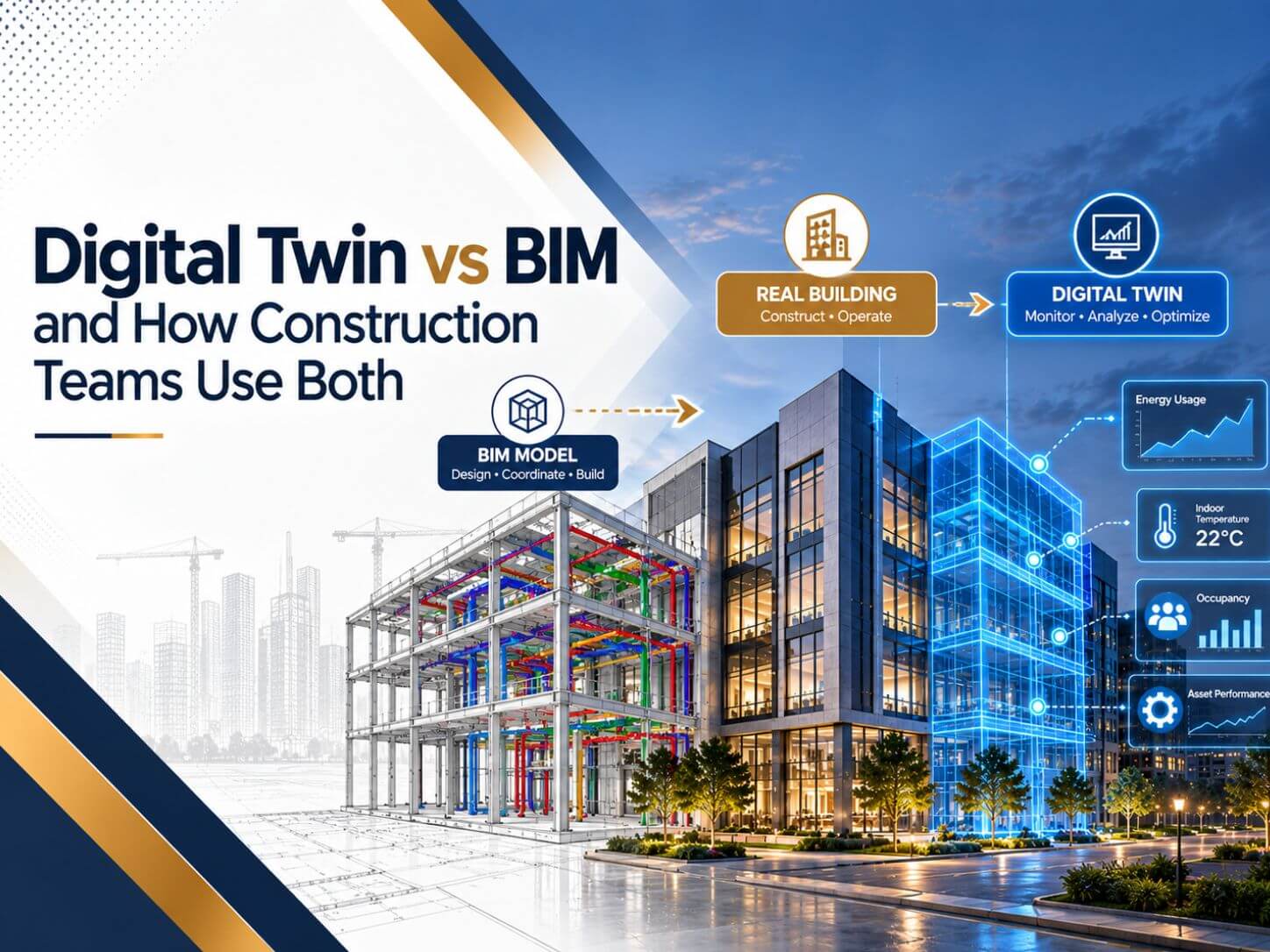
- BIM is how a building is designed, coordinated and documented. A digital twin is a virtual copy of the building that stays in sync with it during operations.
- A digital twin is updated by sensors and operational systems. A BIM model is updated by people at project milestones.
- Most building digital twins start from a BIM model, so a weak or inaccurate model produces a weak twin.
- Contractors get most value from BIM during design and construction. Owners get most value from twins during operations.
- An accurate as-built model with clean asset data is the bridge between BIM and a digital twin.
- Start small with one building, one system, and one clear use case before scaling.
“Digital twin” is one of the most stretched terms in construction right now. Some vendors call any 3D model a digital twin. Others reserve the term for buildings wired with thousands of sensors and running predictive analytics.
The useful definition sits in the middle, and it almost always starts with BIM. A digital twin is not a replacement for BIM. It is what BIM can become once the building is operating and the model is connected to live data.
This guide explains the real difference between a digital twin and BIM, how a BIM model turns into a twin, and how construction and owner teams use both across a project’s life.
What Is BIM?
BIM (Building Information Modeling) is the process of creating and managing an intelligent model of a building. Every element in a BIM model, from walls to pumps, carries data such as dimensions, materials, performance, and cost.
Teams use BIM to design, coordinate disciplines, detect clashes, produce drawings, plan construction, and hand over an as-built record. The model is updated by people, usually at defined milestones or when the design changes.
What Is a Digital Twin?
The Digital Twin Consortium defines a digital twin as a virtual representation of real-world entities and processes, “synchronized at a specified frequency and fidelity.” That last part is what separates a twin from a model.
In buildings, a digital twin usually has three layers:
- A model of the asset, often based on the as-built BIM model, that gives location and context to every space and system.
- Live or regularly synced data from the building management system, IoT sensors, meters, access control, and maintenance software.
- Analytics and dashboards that turn that data into decisions, such as energy optimization, fault detection, or space utilization.
A BIM model tells you what was designed and built. A digital twin tells you how the building is performing right now and what is likely to happen next.
Digital Twin vs BIM Side by Side
| Aspect | BIM | Digital Twin |
|---|---|---|
| Main purpose | Design, coordinate, document, and build | Monitor, analyze, and optimize operations |
| Main lifecycle stage | Design, construction and handover | Operations and maintenance |
| Data source | Modelers and project teams | Sensors, BMS, CMMS and IoT data, plus the model |
| Update frequency | At milestones and design revisions | Near real time or on a scheduled sync |
| What it reflects | Design intent and as-built record | Current operating condition |
| Main users | Architects, engineers and contractors | Owners, facility managers and operators |
| Typical questions | Will it fit? Does it clash? What will it cost? | How is it performing? What will fail next? |
How a BIM Model Becomes a Digital Twin
- Deliver an accurate as-built model: The twin is only as trustworthy as the geometry and locations underneath it.
- Structure the asset data: Give every important asset a unique ID and use naming that matches the BMS points and the CMMS asset list.
- Connect the data sources: Link BMS, meters, sensors, and maintenance data to model elements through APIs or integration platforms. Open standards help here, which is why IFC and openBIM matter for long-term twins.
- Add visualization and analytics: Dashboards show performance in context, so an operator can click a room and see temperature, occupancy, and open work orders.
- Set up governance: Decide who updates the model after renovations and who owns the data connections.
How Construction Teams Use BIM and Digital Twins Together
During design
During construction
BIM drives coordination, clash detection, 4D sequencing, and prefabrication. Many contractors also scan the site at key stages and compare the point cloud with the model to check progress and installation accuracy. Others hand this step to specialist Convert Point Cloud to BIM Services providers, so they can verify what was installed before ceilings close.
At handover
During operations
Building the foundation for a digital twin?
From as-built Revit models and Scan to BIM to asset data planning and BIM consulting, BIMPRO helps owners and contractors create models that are ready for operations. Share your project scope and get a quote within 24 hours.
Call +1 (346) 508-6588 | Email info@bimprous.com | Contact Us
Where Digital Twins Deliver Real Value
- Data centers: where cooling, power, and capacity must be monitored constantly. Our guide to BIM for data center projects explains how lifecycle models support this.
- Hospitals and healthcare campuses: where critical systems and infection control depend on reliable HVAC and plumbing.
- University and corporate campuses: where many buildings share central plants and space use changes often.
- Airports and transit facilities: where passenger flow and equipment uptime drive operations.
- Manufacturing and industrial plants: where process systems and building systems interact.
Building a Digital Twin for an Existing Building
Most owners want twins for buildings that already exist and have no BIM model. That is not a dead end. It just changes the first step.
If the building has reliable 2D drawings, CAD to Revit Modeling Services can convert them into an intelligent model quickly. If drawings are missing, outdated, or not trusted, laser scanning and point cloud modeling create an accurate as-built model. Many owners combine both, converting drawings for most of the building and scanning plant rooms and risers where accuracy matters most.
From there, the same steps apply: structure the asset data, connect the systems, and start with one high-value use case.
Common Mistakes When Moving from BIM to a Digital Twin
- Calling a 3D model a twin: Without synchronized data, it is still a model.
- Too much geometry, too little data: A hyper-detailed model with no asset IDs is hard to connect to anything.
- Naming that does not match the BMS: If the model says AHU-1 and the BMS says AHU_01_N, integration becomes manual work.
- No plan for updates: A twin that stops matching the building loses trust quickly.
- Starting with technology instead of a use case: Pick a problem first, such as energy waste or reactive maintenance, then build the twin to solve it.
Frequently Asked Questions About Digital Twin vs BIM
Is BIM a digital twin?
Can a digital twin exist without BIM?
What data does a building digital twin need?
Do contractors need digital twins?
What LOD does a model need for a digital twin?
How should an owner start with a digital twin?
Ready to build a twin-ready BIM model?
Share your drawings, scan data, or project goals with our team. We will recommend the right approach and send a quote within 24 hours for BIM consulting, CAD to BIM, or Scan to BIM services.
Call +1 (346) 508-6588 | Email info@bimprous.com | Contact Us
Get Your BIM Ready for a Digital Twin with BIMPRO
Digital twin vs. BIM is not a choice between two technologies. BIM provides the building information, while a digital twin connects that information with live operational data. An accurate BIM model created during design and construction makes it easier to develop a reliable digital twin.
BIMPRO helps teams build this foundation with accurate Revit models, CAD-to-BIM and Scan-to-BIM conversion, and BIM consulting for asset data and handover requirements. As a leading BIM company in USA, BIMPRO supports project teams in preparing building models for long-term operations and facility management.

Jinisha P
inSALES MANAGER
Jinisha Patel is a Sales Manager at BIMPRO LLC with hands-on industry exposure to BIM, Revit, and digital construction workflows. Working closely with AEC firms and project teams has given her a strong understanding of BIM coordination, multidisciplinary collaboration, project requirements, and emerging construction technologies. She writes to turn complex BIM concepts and industry developments into practical insights for AEC professionals.
Contact BIMPRO LLC
