
BIM for Data Center Projects
Data center construction is very different from conventional commercial construction. A typical office building may have architectural spaces, structural systems, HVAC, electrical distribution, plumbing, fire protection, and technology systems, but a modern data center brings all of these disciplines together at a much higher level of complexity. Every system has to work around equipment that can be extremely large, heavy, expensive, and sensitive. At the same time, the building has to provide reliable power, continuous cooling, fire protection, network connectivity, physical security, and maintainability.
This is where BIM becomes much more than a three-dimensional representation of a building. For data center projects, BIM becomes a working environment where architects, structural engineers, MEP engineers, contractors, subcontractors, manufacturers, commissioning teams, and owners can understand how thousands of components are going to fit together before those components are installed in the field.
In this guide, we walk through how BIM is used on U.S. data center projects today, what the latest market numbers mean for design and construction teams, and where AI infrastructure and liquid cooling are pushing coordination next.
What Is BIM for Data Center Projects?
BIM for data center projects is the use of digital building models and structured project information to plan, design, coordinate, construct, commission, and eventually operate a data center facility. Although the basic concept is similar to BIM on other building types, data center BIM has its own requirements because of the density and criticality of the systems involved.
The model must represent not only the building itself but also the infrastructure that allows the facility to operate continuously. The physical building is essentially the shell around a highly interconnected technical environment. Consider a typical data hall. The space may contain hundreds of racks, overhead cable trays, busways, cooling equipment, fire protection systems, sensors, lighting, security devices, and telecommunications infrastructure. Above that space may be structural steel, mechanical distribution, electrical distribution, and additional services.
The BIM model allows the project team to understand the relationship between these systems in three dimensions. This is particularly important because many data center systems have strict access and maintenance requirements. An equipment model may physically fit in a room, but that does not necessarily mean the installation is workable.
There may need to be clearance in front of a switchgear lineup. A transformer may require a specific service area. A generator may require access for maintenance or replacement. A CRAH unit may require filter replacement access. A valve may need to remain reachable. A cable tray may need additional capacity for future expansion.
Therefore, data center BIM is not simply about asking whether two objects intersect. It is about asking whether the entire system can actually be installed, operated, maintained, replaced, and expanded. That is one of the most important differences between ordinary 3D modeling and effective BIM coordination for data centers.
Why Data Center BIM Is Different from Conventional Building BIM
The complexity of a data center comes from the combination of high power density, intensive cooling requirements, redundant infrastructure, extensive telecommunications systems, and strict operational requirements. A data center may have multiple electrical distribution paths, backup generators, UPS systems, batteries, transformers, medium-voltage equipment, switchgear, busways, extensive cable tray systems, and thousands of electrical connections.
The mechanical side can be equally complicated. Depending on the facility design, the project may include chillers, cooling towers, dry coolers, pumps, heat exchangers, CRAH units, CRAC units, air-handling equipment, chilled water piping, condenser water piping, ductwork, controls, and increasingly, liquid cooling infrastructure. As computing density increases, particularly with artificial intelligence and high-performance computing, cooling design is becoming even more important.
A few inches of additional space around a major system can affect another discipline. A structural beam can interfere with a duct. A duct can conflict with cable tray. A cable tray can block access to a valve. A pipe can interfere with equipment maintenance clearance. This is why data center BIM coordination must consider the entire building rather than treating each discipline independently.
BIM Throughout the Data Center Project Lifecycle
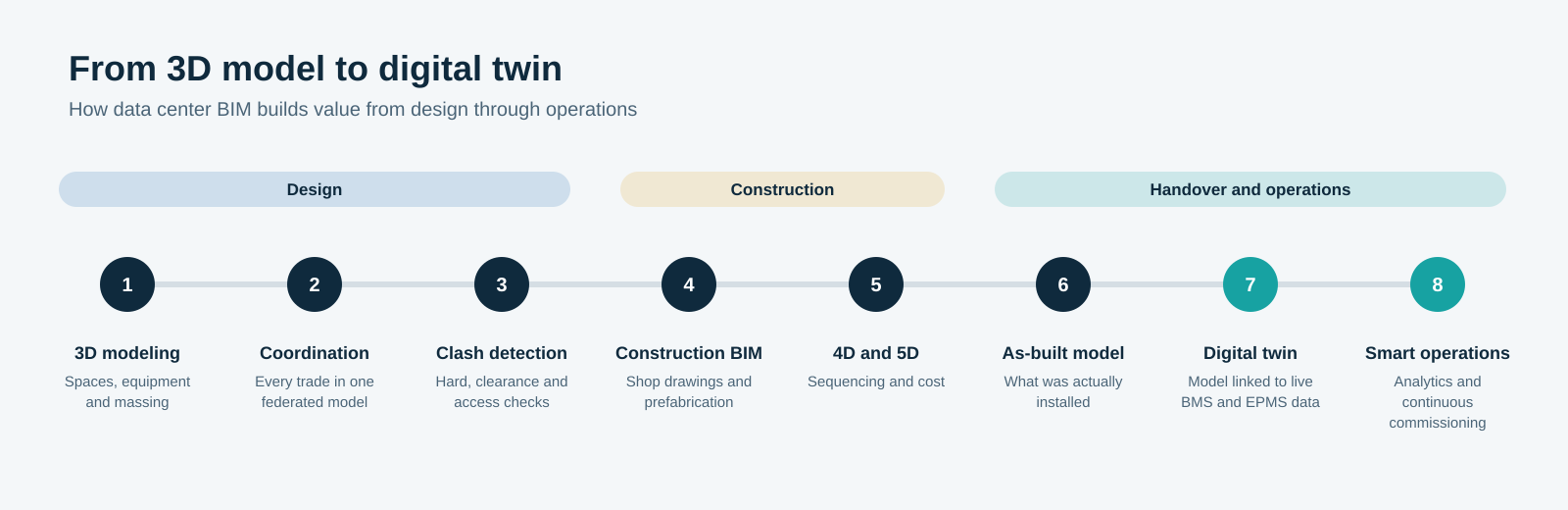
One of the biggest advantages of BIM is that it can support the project from early design through construction and eventually facility operations. During the design phase, BIM can help the team understand spatial requirements and system relationships. Architects can develop the building layout while structural and MEP teams develop their systems around the architectural and operational requirements.
As the project moves into detailed design, BIM becomes increasingly important for coordination. Mechanical, electrical, plumbing, fire protection, fire alarm, telecommunications, security, and structural models can be coordinated to identify conflicts and constructability issues.
During construction, the model can support installation planning, fabrication, prefabrication, sequencing, quantity takeoffs, and field coordination. Later, the model can be updated to represent installed conditions and can potentially become part of the owner's facility information environment. The important point is that BIM should not be treated as a one-time deliverable. A good data center BIM workflow follows the project. The model becomes progressively more detailed and useful as the project develops.
Need BIM support for your next data center project?
From MEP modeling to coordination, clash detection, construction documentation, and as-built BIM, BIMPRO can support your next data center project. Share your project scope, drawings and requirements at info@bimprous.com or contact our team.
How each discipline shows up in a data center BIM project
1. Architectural BIM for Data Center Projects
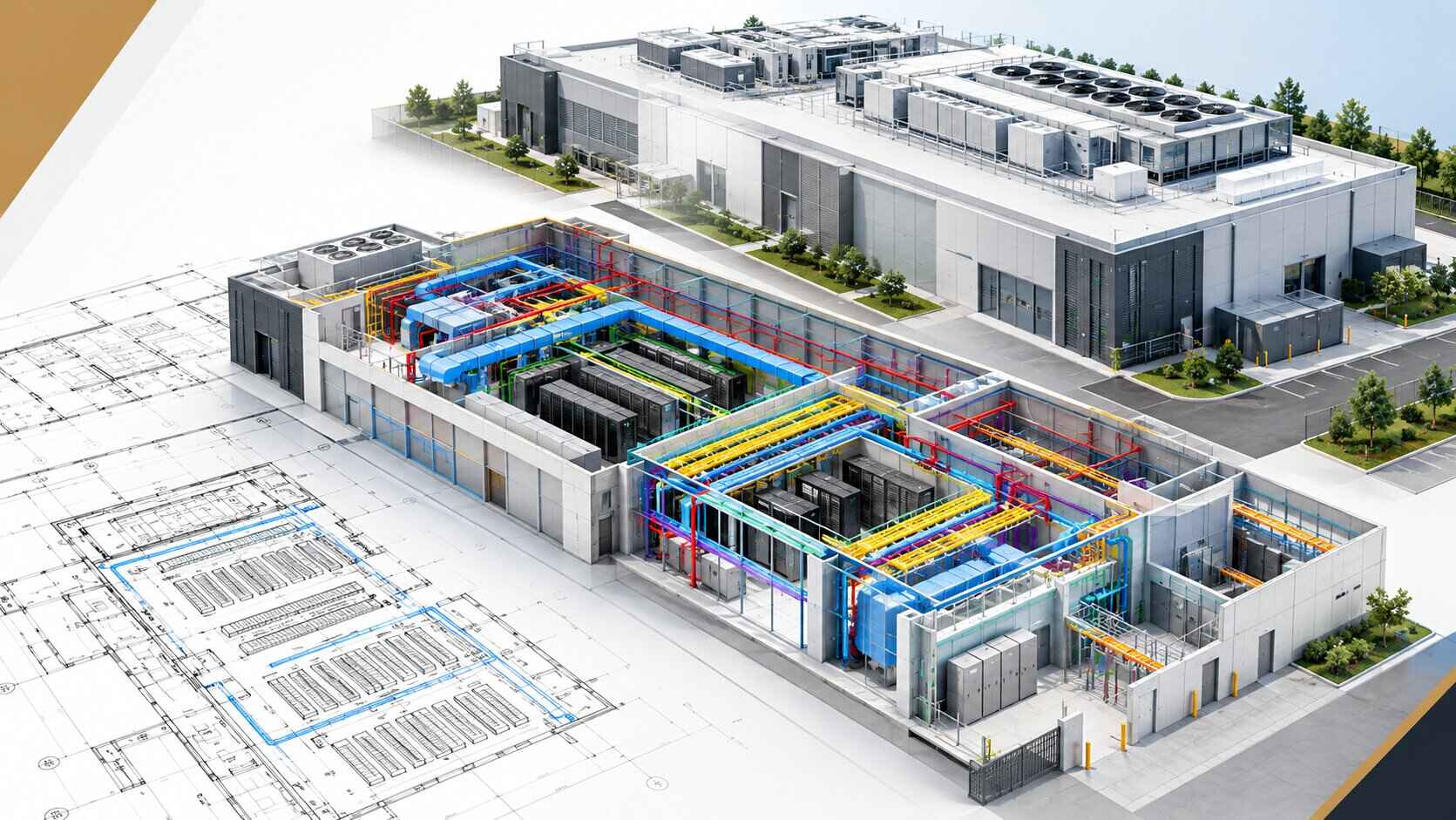
Architectural BIM for a data center starts with much more than walls and doors. The architectural model establishes the physical environment in which all other systems operate. It defines the data halls, electrical rooms, mechanical rooms, offices, security spaces, loading areas, maintenance areas, corridors, equipment yards, roof spaces, vertical shafts, entrances, and other spaces.
One of the most important architectural considerations is equipment movement. A large piece of electrical or mechanical equipment may need to enter the building during construction and later be removed for replacement. That means doors, corridors, loading areas, structural openings, removable wall panels, and access routes need to be considered.
This is where BIM becomes extremely useful. A model can help the project team visualize whether large equipment can physically move through the building. Architectural BIM also helps establish ceiling heights, floor elevations, room dimensions, equipment clearances, access zones, and service corridors.
In a data center, these dimensions are closely connected to MEP coordination. A ceiling may look large enough architecturally, but once cable trays, ductwork, piping, lighting, fire protection, and structural members are added, the available space can disappear quickly.
2. Structural BIM for Data Centers
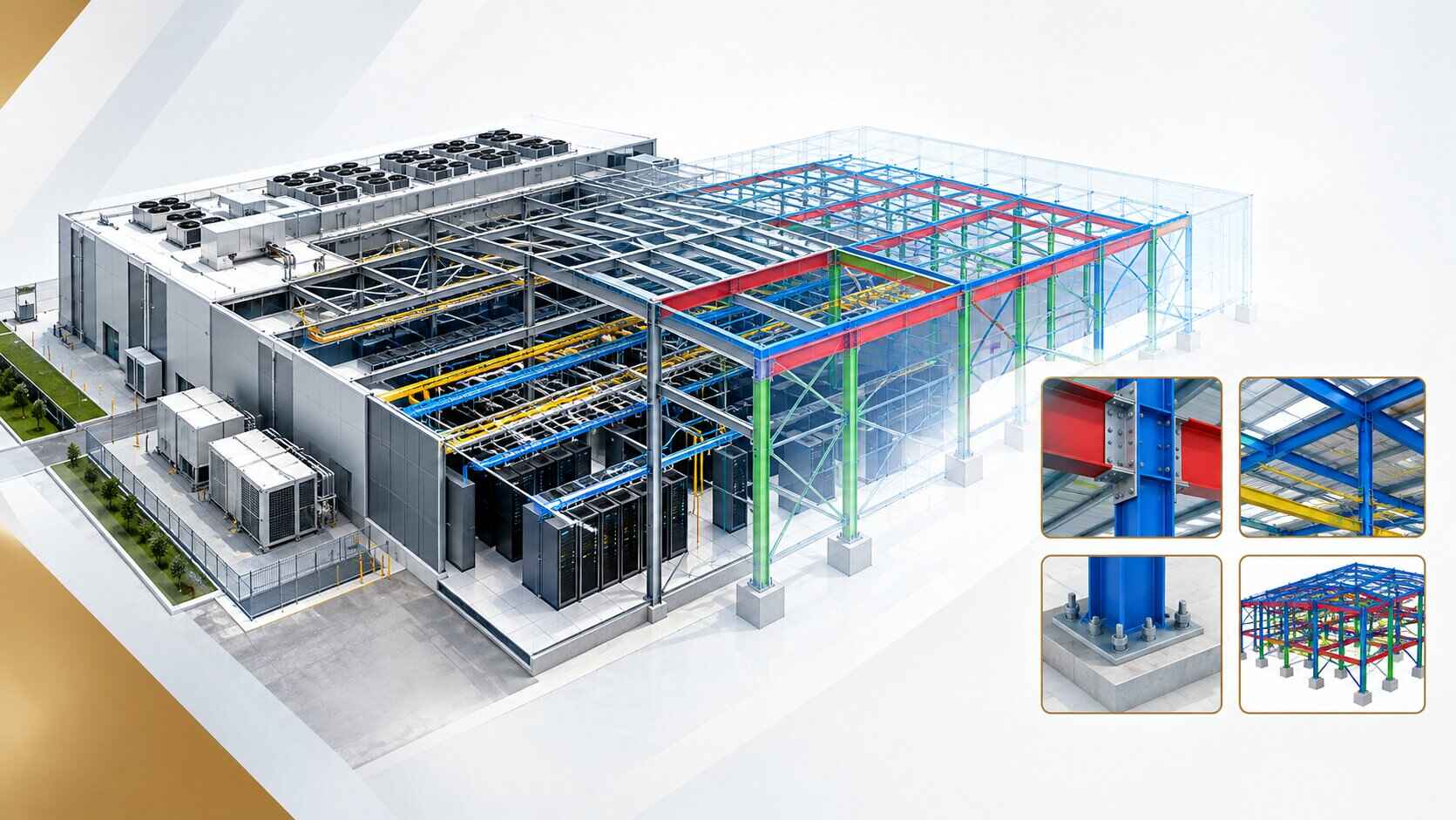
Structural BIM for data centers is particularly important because data center equipment can create substantial concentrated loads. Large transformers, generators, UPS systems, batteries, chillers, pumps, switchgear, and other equipment can require specific structural provisions. The structural model can represent foundations, slabs, columns, beams, steel frames, equipment supports, platforms, penetrations, openings, and other structural elements.
The coordination between structural and MEP disciplines is critical. These issues need to be resolved carefully because structural changes can have a significant impact on the building. Data center BIM coordination can help identify these requirements earlier. Structural BIM also supports equipment support design. Heavy equipment may require housekeeping pads, steel platforms, vibration isolation, roof supports, equipment foundations, or seismic restraints depending on the project requirements and location.
3. Mechanical BIM and Cooling Systems
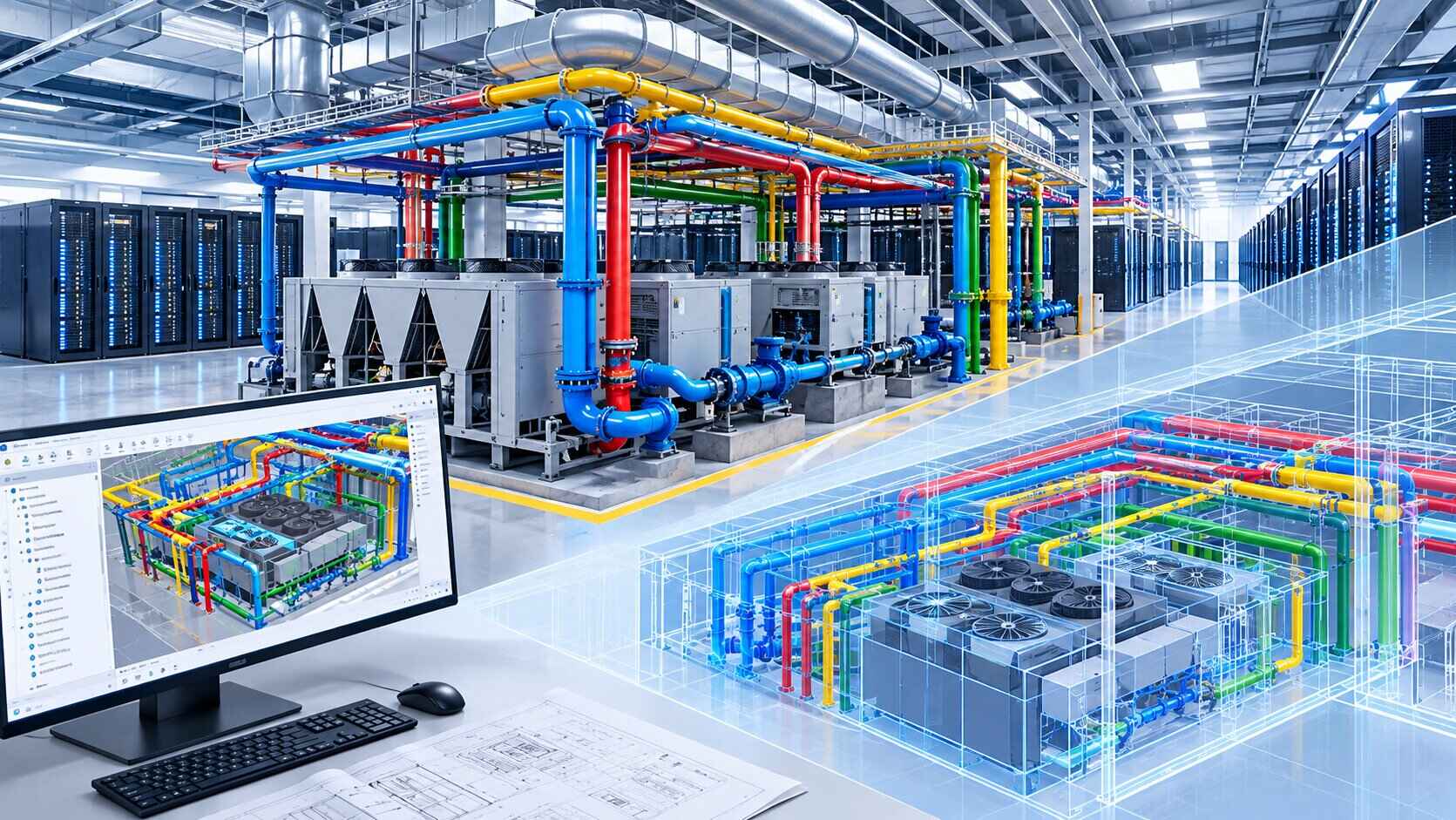
Mechanical BIM for data centers is one of the most critical components of a data center project because cooling directly affects the facility's ability to operate. Traditional commercial buildings often focus on occupant comfort. Data centers have a different priority. The equipment inside the data hall continuously produces heat, and that heat must be removed reliably. Mechanical systems can include chilled water systems, air-cooled equipment, water-cooled systems, cooling towers, dry coolers, CRAH units, CRAC units, pumps, heat exchangers, ductwork, piping, valves, controls, and monitoring systems.
Large chilled water pipes may require substantial ceiling space. Ductwork may need to maintain specific elevations. Equipment may require service clearance. Pipe supports need to be coordinated with structural elements. The model therefore becomes a practical tool for installation planning. A mechanical system that looks acceptable in two-dimensional drawings may become extremely difficult to install once all surrounding systems are considered. BIM helps reveal those problems before construction.
4. Liquid Cooling BIM for AI and High-Density Data Centers
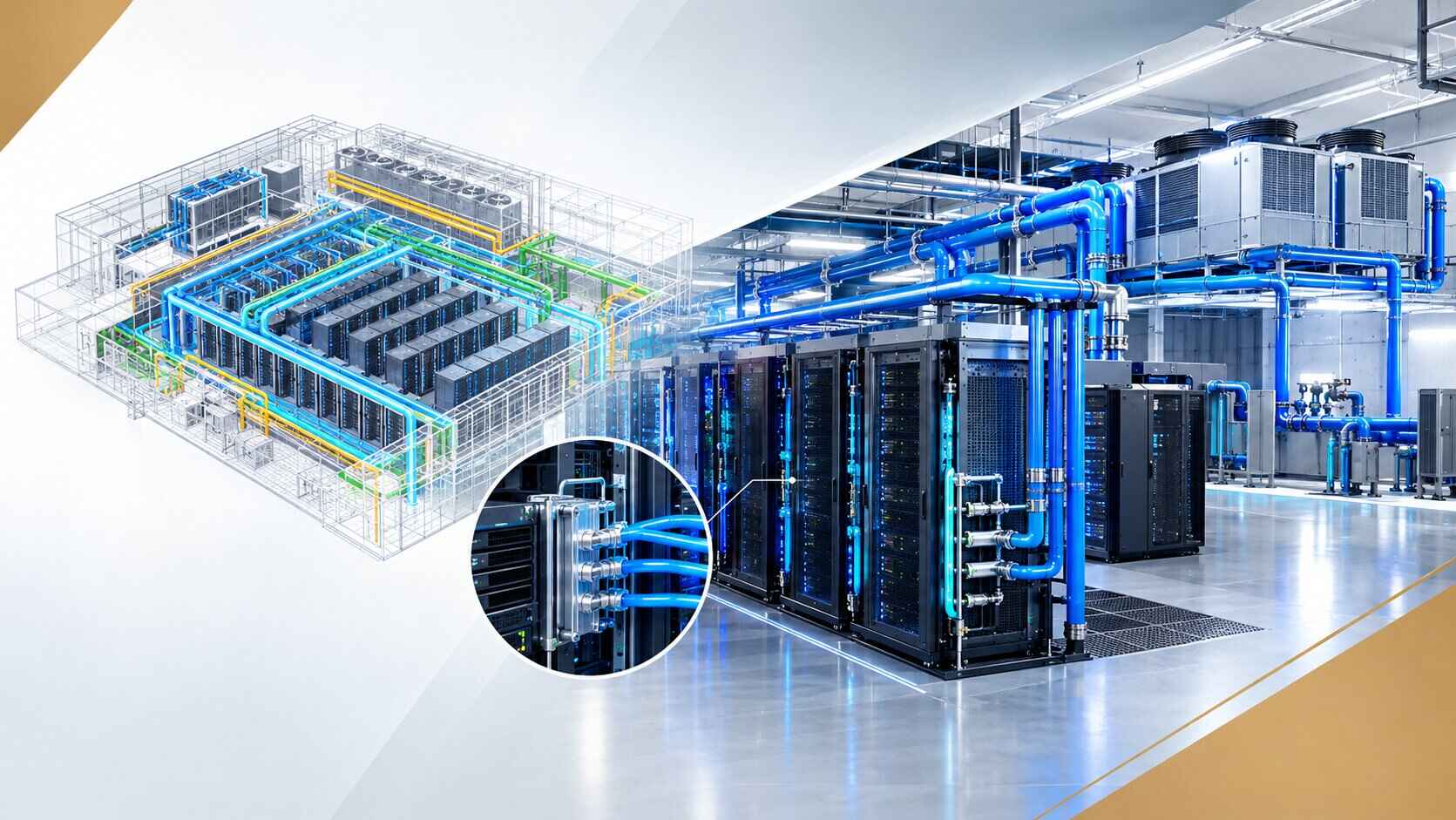
Liquid cooling is becoming increasingly important as data center computing densities increase. AI and high-performance computing equipment can generate significantly more heat than traditional server environments. In these facilities, conventional air cooling may not always be sufficient or may require substantial additional infrastructure.
Liquid cooling introduces another layer of coordination. The BIM model may need to represent cooling distribution units, manifolds, supply and return piping, rack connections, heat exchangers, pumps, valves, drains, controls, and associated equipment. The challenge is not simply modeling the pipe. The project team needs to understand how the liquid cooling system interacts with racks, electrical systems, cable pathways, structural systems, fire protection, and maintenance areas.
A liquid cooling connection may require access behind or beside a rack. Piping may need to be routed through a specific overhead zone. Drainage requirements may need to be considered. Equipment may require isolation valves or service access. These details make liquid cooling BIM an increasingly important part of AI data center design and construction. As rack densities continue to increase, BIM can help project teams visualize how cooling infrastructure needs to evolve with the computing environment.
5. Electrical BIM for Data Center Projects
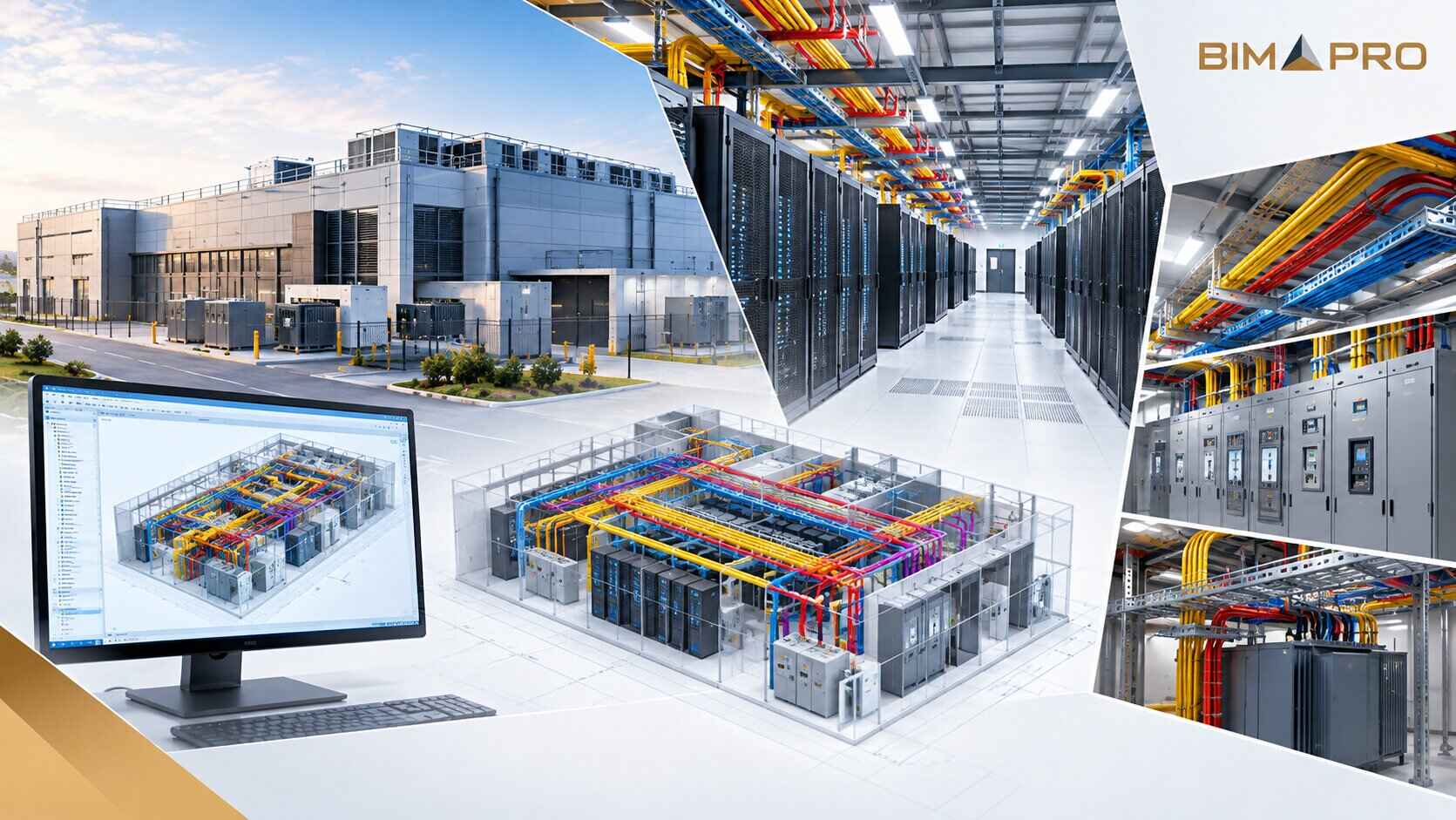
Electrical systems are at the heart of every data center. A typical data center electrical model may include utility connections, substations, transformers, medium-voltage equipment, switchgear, generators, automatic transfer switches, UPS systems, battery systems, panelboards, busways, power distribution units, cable trays, conduits, grounding systems, lighting, and controls.
Large electrical rooms can become extremely congested. Switchgear lineups require working clearances. Transformers require installation and maintenance space. Cable trays require routing paths. Conduits may need to cross structural and mechanical systems. BIM coordination helps the project team determine where these systems can physically fit. It can also help identify conflicts between electrical and mechanical infrastructure.
6. Plumbing BIM for Data Centers
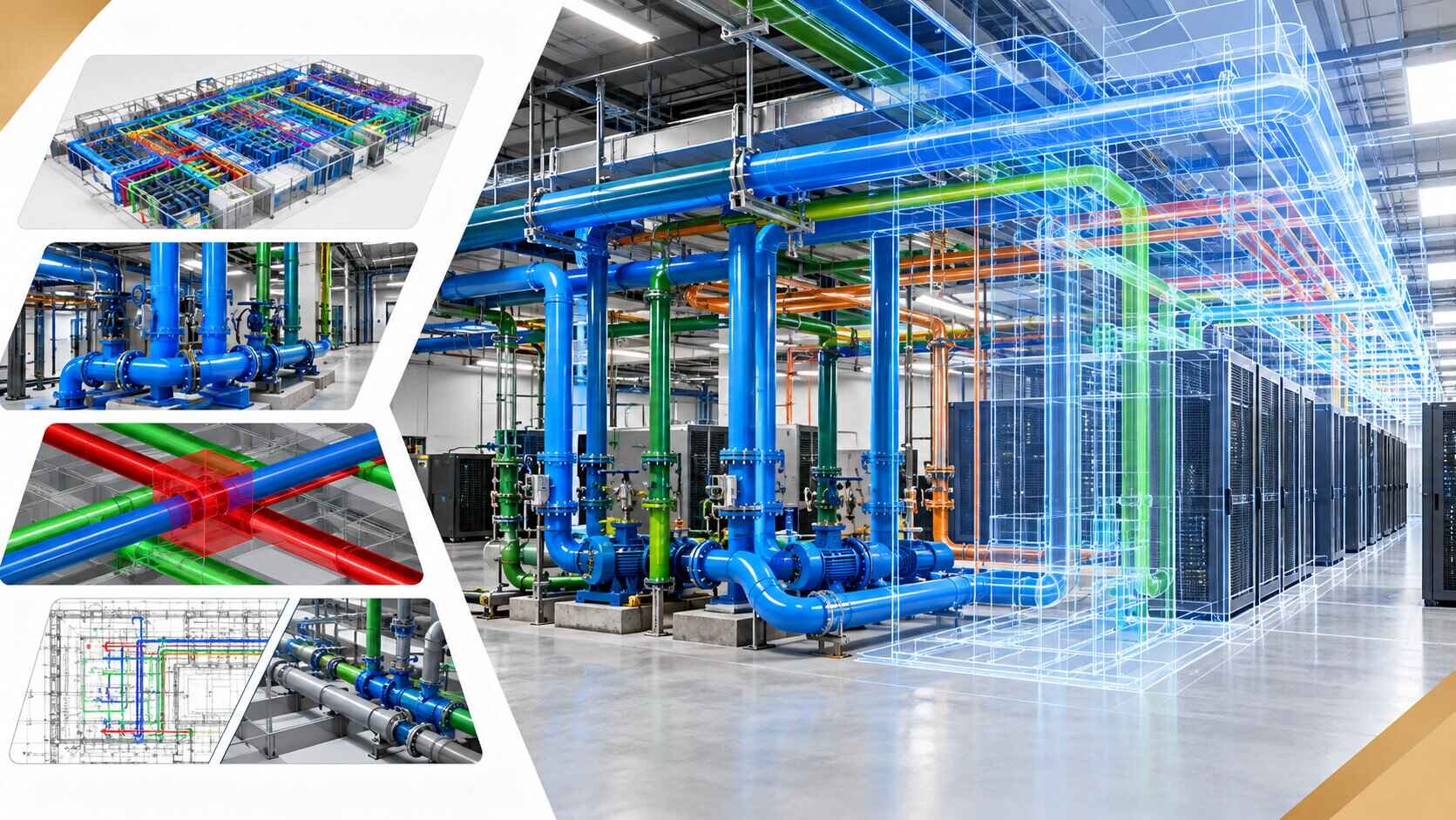
Plumbing may not receive the same attention as electrical and mechanical systems, but it can become critical in certain areas of a data center. Depending on the facility design, plumbing systems may include domestic water, sanitary drainage, storm drainage, condensate drainage, equipment drains, cooling system makeup water, process water, water treatment systems, and other specialized piping.
The plumbing model needs to coordinate with structural systems and mechanical equipment. Drainage is especially important because gravity systems depend on slope. A pipe cannot simply be moved to another elevation without considering the effect on slope and downstream connections. The BIM model can help the team understand pipe elevations and routing while ensuring that required slopes and access requirements are maintained.
7. Telecommunications BIM
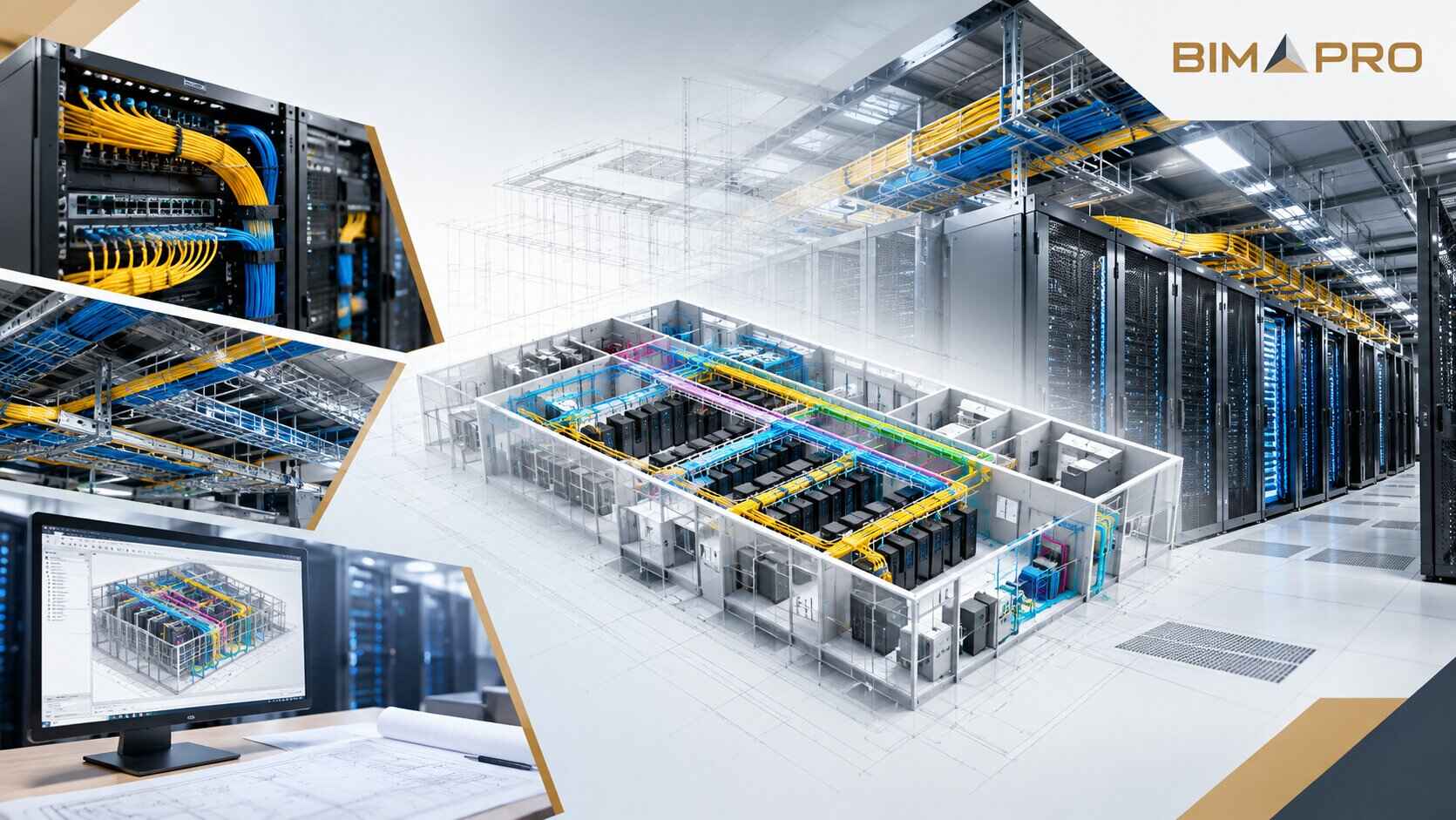
A data center cannot function without extensive telecommunications infrastructure. Fiber optic systems, copper cabling, network pathways, ladder racks, cable trays, telecommunications rooms, meet-me rooms, and overhead pathways all need careful coordination. Telecommunications BIM becomes especially important because cable pathways can occupy large portions of the overhead space.
The model can show how pathways move through the building and how they interact with mechanical and electrical systems. It can also help identify future expansion requirements. A facility may not use every available cable pathway on day one. However, the owner may expect additional capacity in the future. BIM provides an opportunity to reserve physical space for those future systems. That is an important part of designing a data center that can evolve instead of becoming constrained immediately after construction.
8. Security BIM for Data Centers
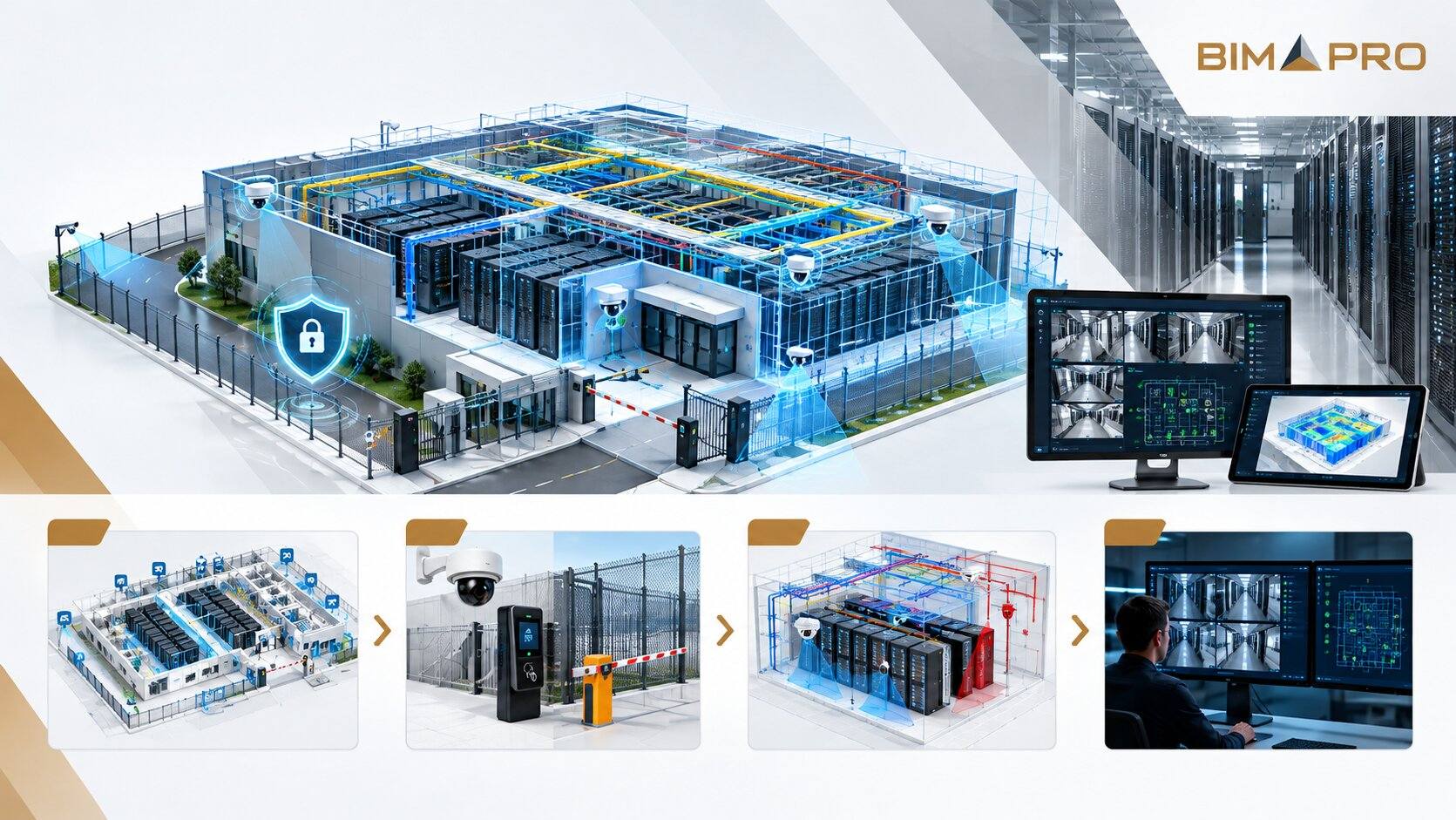
Physical security is another major component of data center design. A data center may include perimeter security, access control, cameras, intrusion detection, security vestibules, mantraps, biometric systems, intercoms, monitoring equipment, and restricted-access zones.
Security systems need to be coordinated with architecture and electrical infrastructure. Security cameras require appropriate mounting locations and fields of view. The BIM model can help the project team coordinate device locations and pathways. This becomes particularly valuable in large facilities where hundreds of security devices may be distributed throughout the site and building.
9. Fire Alarm BIM
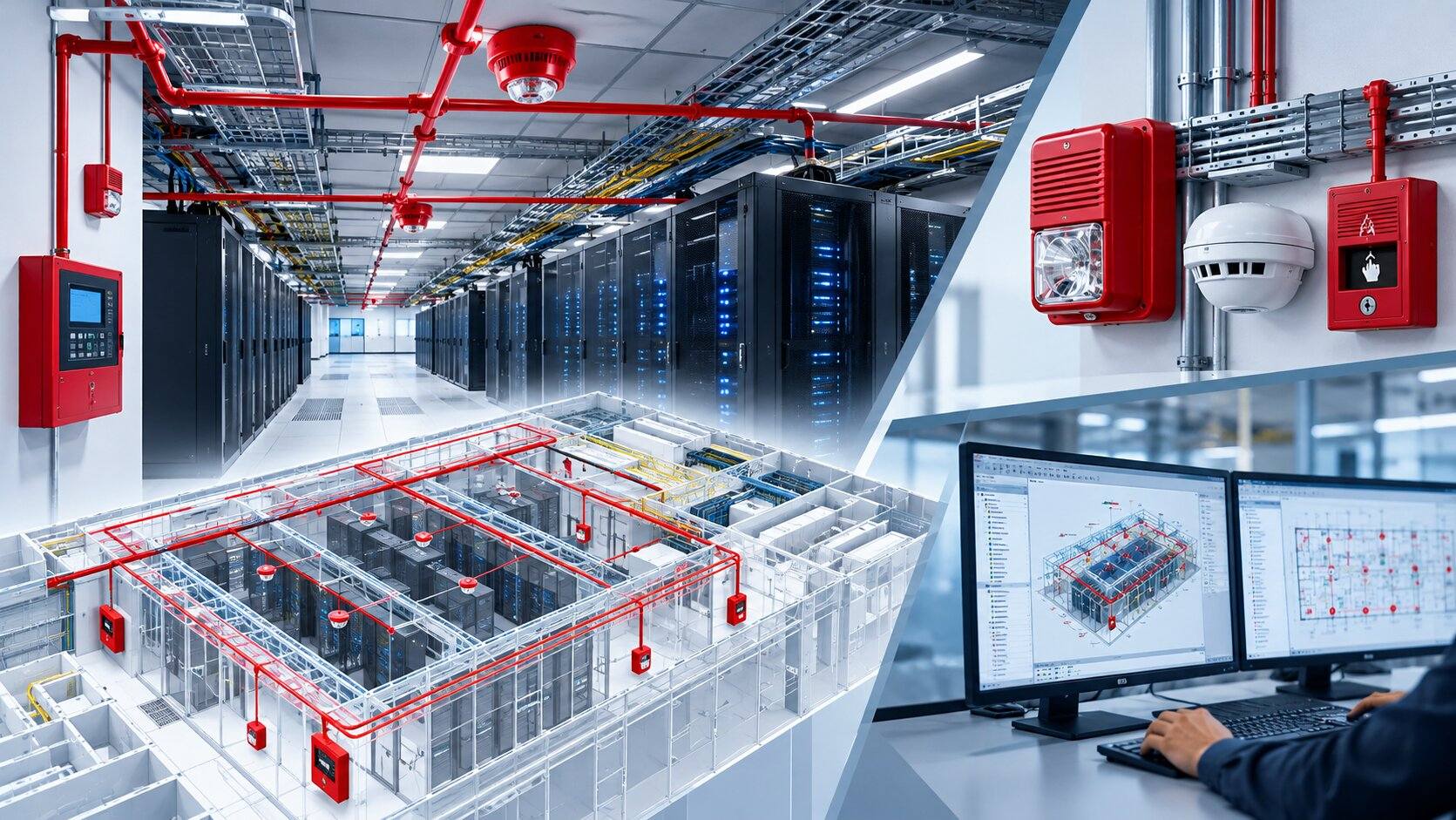
Fire alarm systems are another discipline that benefits from coordinated BIM. A fire alarm model may include smoke detectors, heat detectors, notification devices, manual pull stations, control panels, annunciators, modules, interfaces, and associated pathways.
The locations of these devices need to work with architectural layouts, ceiling systems, mechanical equipment, lighting, cable trays, and other building services. Fire alarm BIM can also support documentation by maintaining consistent device locations and system information throughout the project.
10. Fire Protection BIM
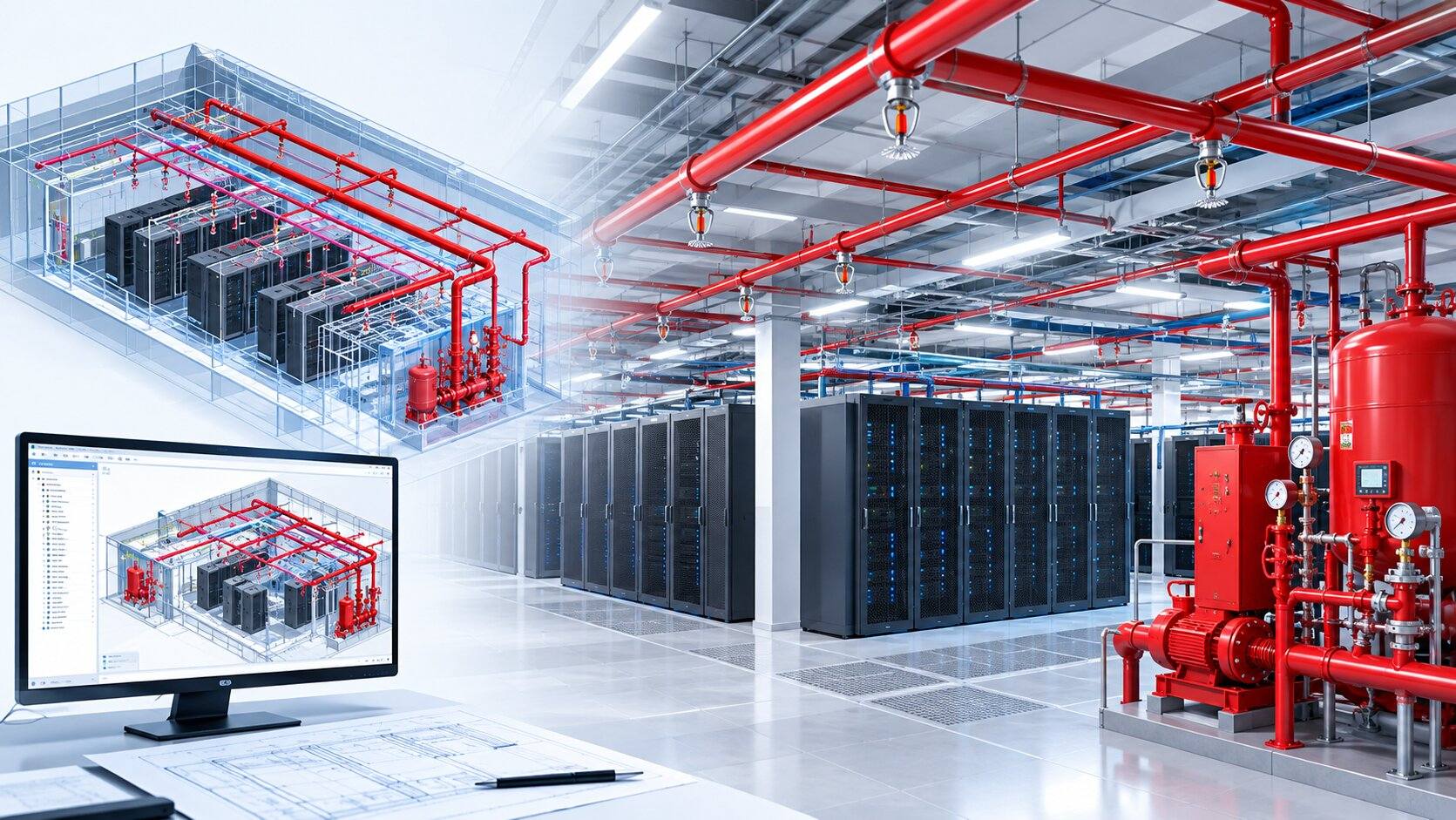
Fire protection systems can become extensive in data center facilities. Depending on the design, systems may include sprinkler piping, pre-action systems, fire pumps, standpipes, risers, valves, test connections, clean-agent systems, and other specialized fire protection equipment.
Fire protection BIM is especially useful because sprinkler mains and branch lines must coordinate with nearly every other overhead discipline. Mechanical ducts, electrical cable trays, lighting, structural elements, plumbing pipes, telecommunications pathways, and other services may all compete for the same space. A properly coordinated model allows the fire protection contractor to understand where piping can be routed while maintaining required system requirements. It also helps identify access requirements around valves, risers, and other equipment.
Need BIM support for your next data center project?
From MEP modeling to coordination, clash detection, construction documentation, and as-built BIM, BIMPRO can support your next data center project. Share your project scope, drawings and requirements at info@bimprous.com or contact our team.
View MEP BIM Services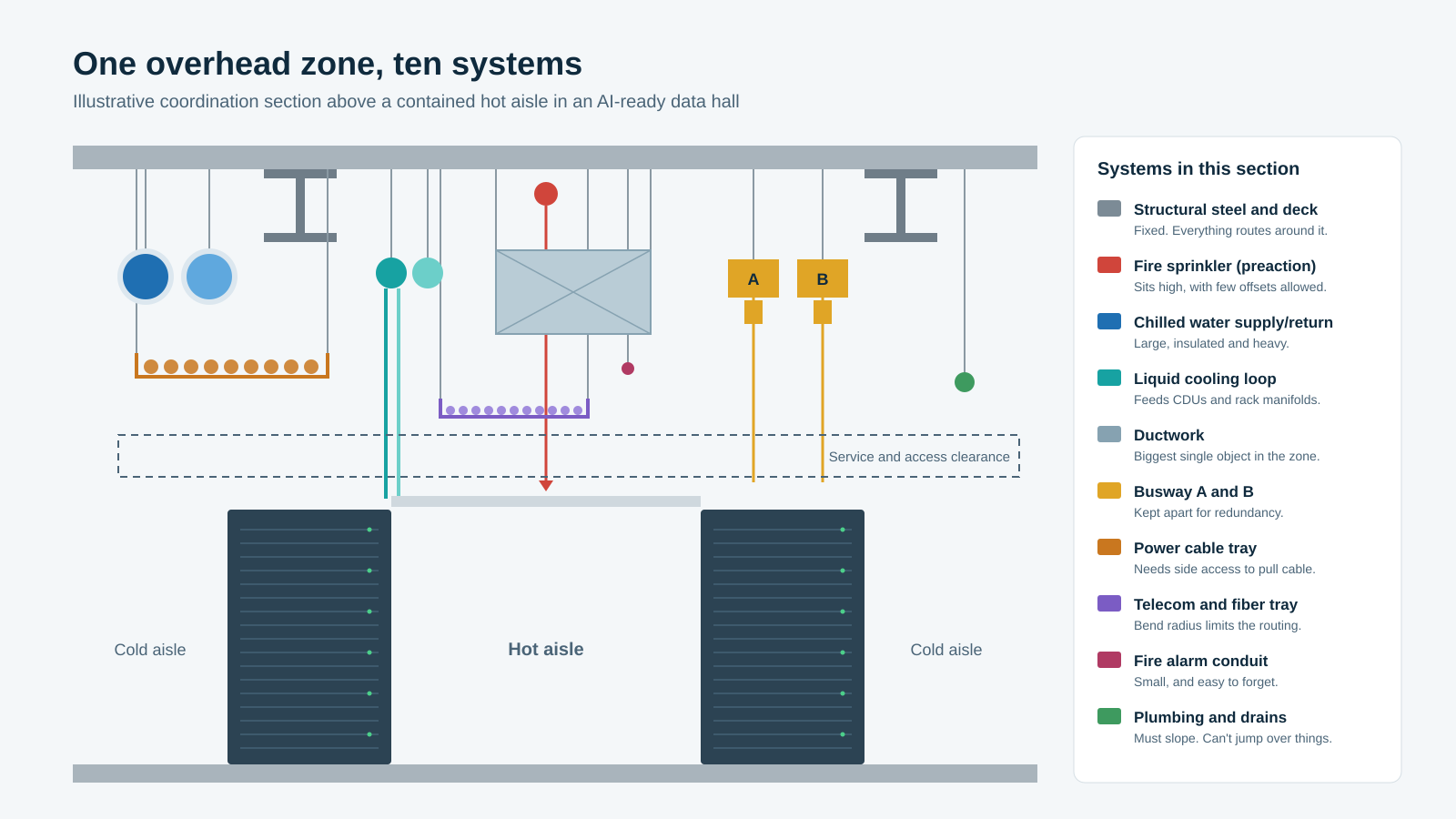
Multidisciplinary BIM Coordination of Data Center Project
The true value of data center BIM appears when all these disciplines are brought together. An architectural model by itself does not tell the project team whether the building can actually be constructed. An electrical model by itself does not show whether its cable trays conflict with mechanical systems. A mechanical model by itself does not show whether its pipes interfere with structural framing.
The federated BIM model brings these disciplines together. This allows the project team to see the building as one coordinated environment. A coordination meeting can then focus on actual problems rather than trying to mentally compare dozens of drawings. This is especially important on large data center projects where multiple contractors may be developing their models simultaneously.
BIM Coordination Workflow that Works for Data Center
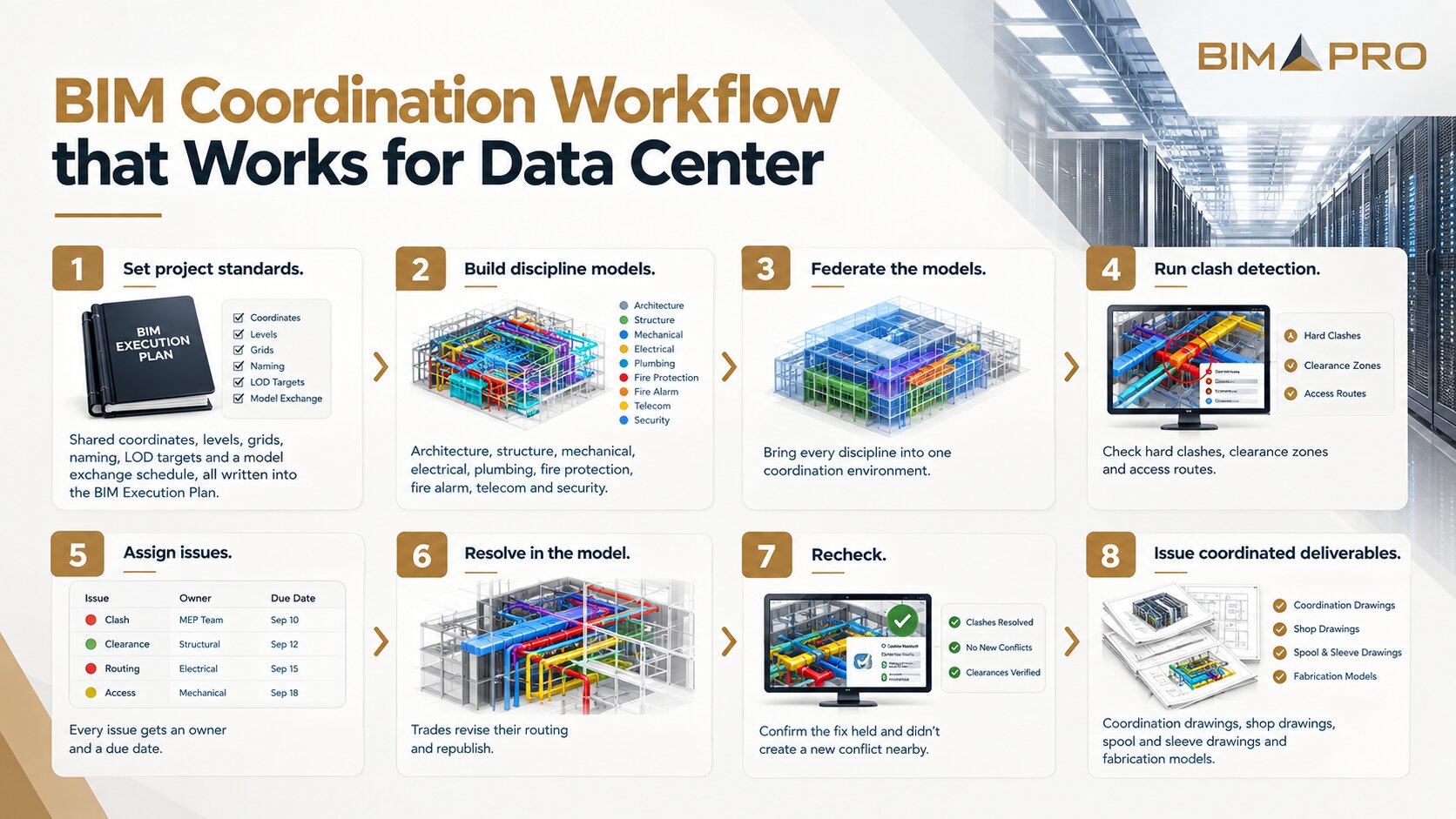
- Set project standards. Shared coordinates, levels, grids, naming, LOD targets and a model exchange schedule, all written into the BIM Execution Plan.
- Build discipline models. Architecture, structure, mechanical, electrical, plumbing, fire protection, fire alarm, telecom and security.
- Federate the models. Bring every discipline into one coordination environment.
- Run clash detection. Check hard clashes, clearance zones and access routes.
- Assign issues. Every issue gets an owner and a due date.
- Resolve in the model. Trades revise their routing and republish.
- Recheck. Confirm the fix held and didn't create a new conflict nearby.
- Issue coordinated deliverables. Coordination drawings, shop drawings, spool and sleeve drawings and fabrication models.
Data Center Clash Detection
Clash detection is one of the most commonly discussed BIM applications, but it is important to understand that not every coordination problem is a simple geometric clash. Clash detection is the best-known BIM use, but in a data center the clashes that hurt most usually aren't hard clashes. They're the ones where nothing touches, yet something still can't be operated, serviced, delivered or built.
Hard clashes are physical intersections, like a chilled-water main running through a busway.
Clearance clashes happen when required working space is blocked, such as switchgear that can't be safely opened because a pipe runs through its clearance zone.
Maintenance clashes show up when equipment fits but can't be serviced, like a pump motor that can't be lifted out once piping is installed above it.
Access clashes block delivery or replacement routes. The transformer fits its room but not the door on the way in.
Constructability clashes fit on paper but not in sequence. The upper pipe can't be lifted into place once the tray below it is hung.
The way to catch the last four is to model clearances as real objects. Build service zones, door swings, removal envelopes and working space into your families as solid volumes, and the clash engine will find them the same way it finds pipes hitting ducts. It's also worth grouping results by system and zone and setting sensible tolerances, so the team works through fifty real problems and not five thousand duplicates.
This is why effective data center BIM coordination needs experienced people who understand construction, not just software operators who know how to run a clash detection tool. The model needs to be reviewed from the perspective of how the building will actually be built.
Constructability and Installation Planning
Constructability is one of the areas where BIM can provide significant practical value. A coordinated model can help the construction team visualize how components will be installed. For example, if a large mechanical assembly must be installed above a ceiling, the team can examine access routes and determine whether the equipment needs to be installed before surrounding systems.
Similarly, large electrical equipment may need to enter the building before walls or permanent partitions are completed. The model can support these discussions. It can also help contractors identify areas where prefabrication may be beneficial. When the project team understands the spatial constraints early, assemblies can potentially be fabricated in controlled environments and transported to the site for installation. This can reduce field labor and improve consistency when the project workflow is set up to support prefabrication.
Prefabrication and Modular Construction
Data center construction increasingly involves prefabricated and modular components. Mechanical skids, pipe assemblies, electrical rooms, equipment modules, cable tray assemblies, and other components can potentially be fabricated away from the final installation location.
BIM plays an important role in this process because prefabricated assemblies must be modeled accurately. The model can define the geometry and relationships of components before fabrication. This reduces the risk of producing an assembly that cannot be installed in its intended location. For large data center programs where multiple buildings follow similar design standards, BIM can also support repeatability. A successful solution developed for one building may be adapted to another project when appropriate.
4D BIM for Data Center Construction
4D BIM connects the physical model with the construction schedule. Instead of viewing construction as a collection of dates and activities, the team can visualize how the building develops over time. This can be useful for complex data centers because construction often involves multiple work zones and overlapping trades.
The team can visualize when structural work occurs, when major equipment arrives, when MEP systems are installed, and when different areas become available for commissioning. This can make schedule discussions easier because stakeholders can see the sequence rather than relying entirely on written schedules.
5D BIM and Cost Information
5D BIM introduces cost information into the BIM environment. The idea is to connect quantities and model elements with cost information so that changes can be evaluated more efficiently. On a data center project, even relatively small design changes can involve significant quantities of equipment and materials. If a routing change increases the length of cable tray, conduit, pipe, or ductwork, the model may help quantify the change.
However, BIM should not be treated as an automatic cost-estimating system. The quality of the output depends on model accuracy, quantity rules, cost databases, and the project workflow. When those elements are properly connected, BIM can provide a useful bridge between design information and construction cost management.
BIM and Data Center As-Built
An as-built BIM model represents the systems and equipment actually installed in a data center after construction is completed. It can incorporate field-verified information, contractor redlines, approved changes, equipment details, and final installation conditions. An accurate as-built model can support facility operations, maintenance, future renovations, asset management, and project closeout by providing a reliable digital record of the completed facility.
BIM and Data Center Commissioning
Commissioning is one of the most important phases of a data center project because the facility must demonstrate that systems operate as intended. The BIM model can support commissioning by providing a structured representation of equipment and systems. Equipment can be associated with identification information, locations, system classifications, and other data required by the project. This can make it easier to connect physical assets with commissioning documentation.
The model may also support the transition into operations. However, the model should not automatically be called an as-built model simply because construction has been completed. An accurate as-built BIM model requires field verification and appropriate project procedures. The final model should reflect what was actually installed rather than simply what was originally designed.
BIM for Data Center Facility Management
Once the data center is operational, BIM can potentially continue providing value. Owners may use model information to understand equipment locations, access areas, system relationships, and maintenance requirements.
When BIM is integrated with facility management platforms, the model can become part of a broader digital information environment. The value increases when the information is structured around the owner's actual operational requirements.
A model filled with unnecessary information may be less useful than a simpler model containing the right information. The objective should therefore be to understand what information the facility team will actually use.
Digital Twins for Data Centers
The concept of a digital twin takes BIM a step further. A BIM model represents the physical facility and its information. A digital twin can connect that representation with operational data.
For a data center, this could include information from building management systems, electrical monitoring systems, environmental sensors, equipment controls, and other operational platforms.
Instead of simply knowing where a cooling unit is located, the operational environment could potentially show information about its current condition. Instead of simply knowing where an electrical distribution system is located, the digital environment could potentially connect it to operational measurements.
BIM can therefore become one of the foundations for a more connected data center operational strategy.
BIM Standards for Data Center Projects
A successful BIM project needs standards. Without agreed modeling standards, different teams can produce models that are technically correct but difficult to coordinate. The BIM Execution Plan, commonly referred to as the BEP, establishes how BIM will be used on the project.
It can define responsibilities, model exchange procedures, coordinate systems, naming conventions, model requirements, file formats, levels of development, coordination processes, and quality control requirements.
LOD, or Level of Development, is another important concept. Different project stages require different levels of model development. The model should be developed according to the project's actual requirements rather than simply making every component extremely detailed. More detail does not automatically mean a better BIM model. The right level of information is what matters.
The Future of BIM for Data Centers
The future of data center BIM is likely to move toward greater integration between design models, construction information, operational data, automation, and artificial intelligence. As data center designs become more complex, project teams will need better ways to manage information.
AI may eventually assist with automated design checks, clash prioritization, routing optimization, model quality control, quantity analysis, and construction planning. However, human expertise will remain important. A software tool can identify that two objects occupy the same space, but an experienced BIM professional understands why the conflict matters and how it should be resolved.
The future of BIM is therefore not simply about making models more detailed. It is about making project information more useful. A data center BIM model should help people understand the building, coordinate systems, make construction decisions, reduce uncertainty, and eventually operate the facility.
BIMPRO's Approach to Data Center BIM Services
BIMPRO approaches data center BIM as a multidisciplinary process rather than simply a modeling exercise. For a complex data center, architectural, structural, mechanical, electrical, plumbing, fire protection, fire alarm, telecommunications, and security systems all need to work together.
The objective of BIM services is to create coordinated digital information that can support design development, coordination, construction, and project delivery. BIMPRO can support data center workflows where detailed Revit modeling, multidisciplinary coordination, clash detection, construction documentation, and BIM quality control are required.
The focus should remain on producing models that are useful to the project team. For data center projects, that means understanding how the model will actually be used by designers, contractors, subcontractors, fabricators, and owners. A model should not simply look correct on a screen. It should help the team make better construction decisions.
Frequently Asked Questions About Data Center BIM
1. Why is BIM important for data center projects?
BIM is important because data centers contain highly complex and interconnected architectural, structural, mechanical, electrical, plumbing, telecommunications, security, fire alarm, and fire protection systems. BIM allows these systems to be coordinated in a shared three-dimensional environment before installation.
2. What is data center BIM coordination?
Data center BIM coordination is the process of combining different discipline models and reviewing them for physical conflicts, clearance problems, access issues, installation challenges, and other coordination requirements.
3. What disciplines are included in data center BIM?
Depending on the project, data center BIM can include architectural, structural, mechanical, electrical, plumbing, telecommunications, security, fire alarm, fire protection, controls, and other specialized systems.
4. Is Revit suitable for data center projects?
Revit is widely used for BIM modeling and coordination on complex building projects, including data centers. Its usefulness depends on how well the project establishes modeling standards, families, parameters, coordinates, quality control, and coordination procedures.
5. BIM is used in which types of data center projects in USA?
BIM is widely used across different types of data center projects in the U.S., including hyperscale, AI and high-performance computing (HPC), colocation, enterprise, edge, modular and prefabricated, government and mission-critical, and telecommunications data centers.
6. How does BIM help AI data centers?
AI data centers can have higher power and cooling requirements. BIM helps coordinate the electrical, mechanical, structural, network, liquid cooling, and architectural infrastructure required to support these high-density environments.
7. How does BIM support liquid cooling?
BIM can represent liquid cooling equipment, piping, manifolds, cooling distribution units, rack connections, valves, drains, supports, and surrounding infrastructure. This helps project teams coordinate liquid cooling systems with electrical, structural, architectural, and other building systems.
8. Can BIM be used after data center construction?
Yes. If the model is properly developed, verified, and structured for owner requirements, it can support commissioning, asset information, facility management, maintenance planning, and potentially digital twin applications.
Related Reading
Conclusion
Data center construction is becoming increasingly complex, and BIM has become one of the most practical tools available for managing that complexity. The value of BIM is not simply that it creates a three-dimensional model. The real value comes from connecting information.
Architecture needs to connect with structure. Structure needs to connect with mechanical and electrical systems. Mechanical systems need to connect with cooling requirements. Electrical systems need to connect with equipment loads. Telecommunications needs to connect with network requirements. Fire protection and fire alarm systems need to work within the same physical environment. Security systems need to connect with the architectural and electrical infrastructure.
All of these relationships exist in the real building whether or not they are represented in a BIM model. The advantage of BIM is that the project team can examine those relationships before construction makes them expensive to change. For today's conventional data centers, BIM supports coordination and constructability.
For tomorrow's AI data centers, BIM will become even more important as power density, liquid cooling, electrical infrastructure, network requirements, and equipment complexity continue to increase. The most valuable data center BIM models will not necessarily be the models with the most detail. They will be the models that contain the right information, are properly coordinated, reflect actual project requirements, and help people make better decisions.
That is ultimately what BIM should do. It should make a complicated building easier to understand before it becomes a complicated construction problem.
Need BIM support for your next data center project?
From MEP modeling to coordination, clash detection, construction documentation, and as-built BIM, BIMPRO can support your next data center project. Share your project scope, drawings and requirements at info@bimprous.com or contact our team.
Request a Data Center BIM Quote
Jinisha P
inSALES MANAGER
Jinisha Patel is a Sales Manager at BIMPRO LLC with hands-on industry exposure to BIM, Revit, and digital construction workflows. Working closely with AEC firms and project teams has given her a strong understanding of BIM coordination, multidisciplinary collaboration, project requirements, and emerging construction technologies. She writes to turn complex BIM concepts and industry developments into practical insights for AEC professionals.
Contact BIMPRO LLC
