Quick Takeaway:
- About half of US commercial buildings were built before 1981, so many renovation projects start with old, incomplete, or inaccurate drawings.
- Scan to BIM replaces tape measures and assumptions with a measured as-built Revit model.
- It pays off most on MEP replacements, tenant improvements, adaptive reuse, energy retrofits, and historic rehabilitation.
- Scope the scan around the renovation area and the disciplines involved, not the whole building, to control cost.
- Revit phasing lets existing, demolished, and new work live in one coordinated model.
- Combine scans with legacy CAD drawings where they are reliable, and scan what you cannot trust.
- Plan ceiling access before scanning if above-ceiling MEP is part of the work.
Renovation projects often come with one common challenge: the available building drawings do not accurately reflect the existing structure. Walls may have moved, mechanical systems may have changed, and previous modifications may never have been documented.
These differences can create problems during design and construction, particularly when new HVAC systems, electrical services, structural elements, or interior layouts must fit within an existing building.
This challenge is common across the US. According to the US Energy Information Administration’s 2018 Commercial Buildings Energy Consumption Survey, the country has about 5.9 million commercial buildings, and the median year of construction is 1981. Many of these buildings now need MEP upgrades, energy retrofits, or a change of use.
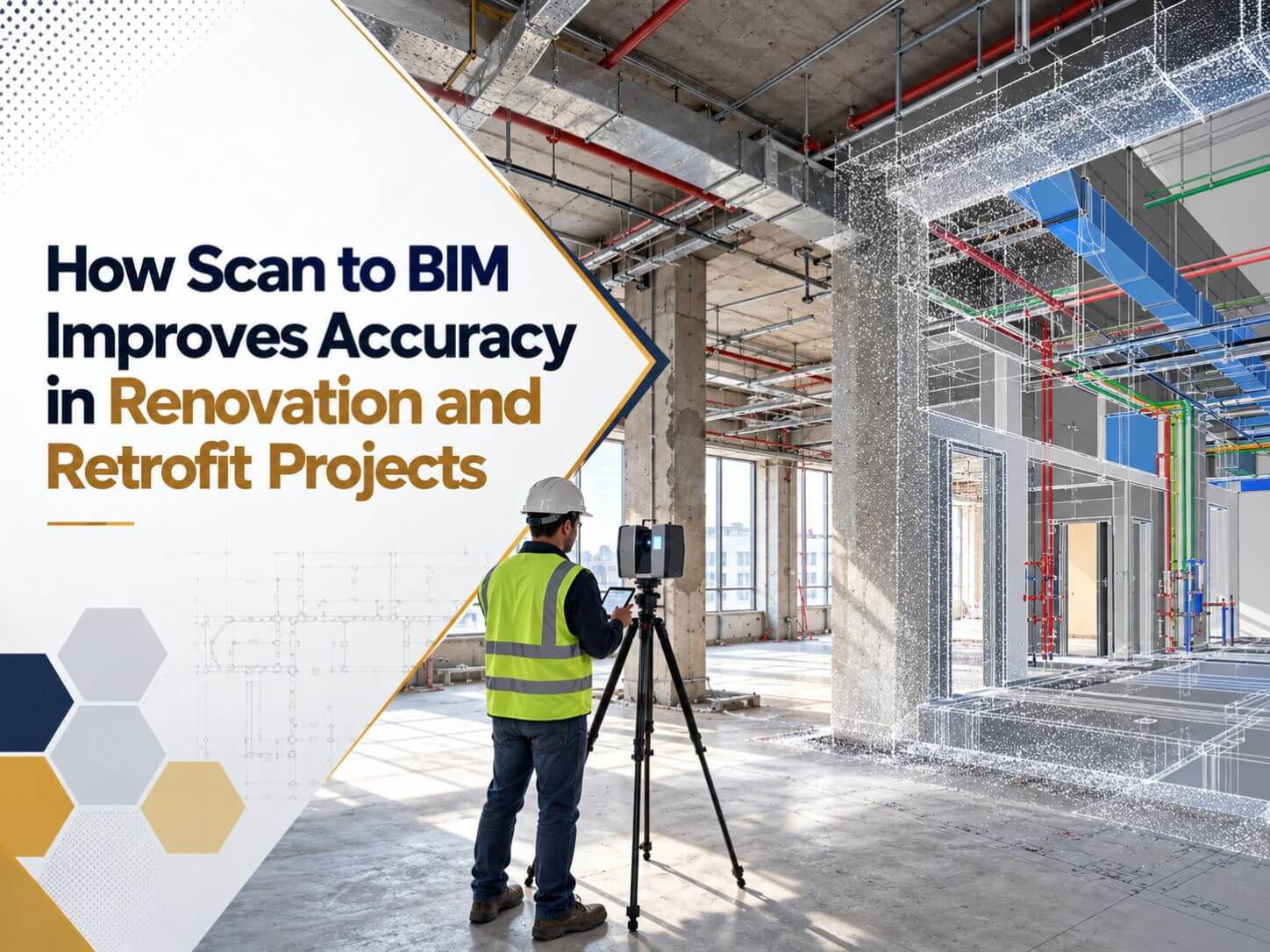
Scan to BIM provides a measured starting point for renovation and retrofit projects. It uses laser scanning and point cloud data to create a digital representation of existing building conditions in Autodesk Revit.
For architects, engineers, contractors, and building owners across the USA, this process helps improve design coordination, identify potential conflicts, and plan renovation work with better information.
This guide explains how Scan to BIM works, which projects benefit from it, how to prepare for scanning, and what to consider when planning a renovation or retrofit project.
What Scan to BIM Means for Renovation Work
Scan to BIM is the process of capturing an existing building with laser scanning equipment, processing the collected measurements into a point cloud, and using that data to create a Building Information Modeling (BIM) model. For a full overview of the process, see our comprehensive guide to Scan to BIM.
The resulting Revit model represents the building geometry captured during the survey. Depending on the project scope, it may include architectural elements, structural components, and visible mechanical, electrical, and plumbing systems.
For renovation projects, the existing building is an important design constraint. New walls, ducts, pipes, equipment, and structural openings must work within the available space.
A model based on measured conditions helps architects and engineers understand the existing layout before developing new designs.
For projects requiring detailed existing-condition documentation, BIMPRO provides Scan to BIM services to convert point cloud data into Revit models based on project requirements.
What Information Does a Scan to BIM Model Include?
Architectural Elements
Structural Elements
Mechanical, Electrical, and Plumbing Systems
Building Dimensions and Spatial Relationships
A model can represent floor elevations, clearances, wall positions, and relationships between building elements. These details help teams plan new installations and assess space constraints.
Important: Laser scanning captures visible surfaces. It does not automatically reveal concealed pipes, wiring, structural reinforcement, or other elements inside walls and floors. Additional investigation may be necessary for these components.
The Scan to BIM Workflow for Renovation Projects
1. Site Scanning
2. Point Cloud Processing
3. Project Scope and LOD Review
4. Revit Modeling
5. Model Validation and Delivery
The completed model is reviewed against the available scan data and project requirements. The final deliverables may include Revit files, drawings, or other agreed formats for use by the design and construction teams.
This workflow gives renovation teams a structured way to move from measured site information to a usable digital model.
Why Existing Drawings Fail on US Renovation Projects
Owners often have drawings. The problem is whether anyone can trust them. The most common issues we see are:
- Drawings were never updated after previous renovations or tenant fit-outs.
- Only paper or scanned PDF sets exist, often incomplete and sometimes at the wrong scale.
- Field changes were never recorded, especially for MEP routing.
- Buildings have moved. Slabs deflect, foundations settle, and older structures are rarely square or level.
- Hidden conditions are unknown, such as abandoned ductwork, old conduits or undocumented structural repairs.
Each of these turns into RFIs, change orders, rework, and schedule delays once construction starts. Scan to BIM moves those surprises into the design phase, where they are cheaper to solve.
Renovation and Retrofit Projects That Benefit Most from Scan to BIM
| Project Type | What to Scan | What to Model |
|---|---|---|
| Tenant improvement and office fit-out | Floor plate, core, ceilings and existing partitions | Walls, columns, ceiling heights, doors and MEP mains |
| MEP system replacement | Mechanical rooms, shafts and above-ceiling spaces | Equipment, ducts, pipes, cable trays and structural clearances |
| Adaptive reuse such as office to residential | Full building, including envelope and cores | Structure, envelope, cores, stairs and floor elevations |
| Energy retrofit | Envelope, roof, windows and mechanical rooms | Envelope assemblies, glazing, roof equipment and HVAC systems |
| Historic rehabilitation | Facades, ornamental interiors and structure | Detailed architecture with recorded deviations |
| ADA accessibility upgrades | Entrances, restrooms, ramps, corridors and elevators | Floor levels, slopes, door widths and clearances |
| Industrial and warehouse retrofit | Structure, racking zones, utilities and roof | Structure, process piping, clear heights and equipment |
How Scan to BIM Reduces Risk on Renovation Projects
Design starts from measured reality
Clashes with existing conditions are found early
Prefabrication becomes possible
Bids are tighter
Phasing is clear in one model
Planning a renovation or retrofit?
BIMPRO converts laser scan data into accurate Revit as-built models for renovation, retrofit, and adaptive reuse projects across the USA. Explore our point cloud to BIM conversion services usa and get a quote within 24 hours.
Call +1 (346) 508-6588 | Email info@bimprous.com | Contact Us
US Building Performance Laws Driving Retrofit Projects
Energy regulation is now a major reason existing buildings are being retrofitted in the US. New York City’s Local Law 97 sets carbon emissions limits for most buildings over 25,000 square feet, with limits that started in 2024 and tighten in 2030. Boston’s BERDO 2.0 sets emissions standards for large existing buildings on a path to net zero by 2050. Washington, DC, Denver, and Washington State have their own building performance standards.
Meeting these targets usually means replacing HVAC systems, upgrading envelopes and windows, adding controls, and sometimes electrifying heating. All of that work depends on accurate information about the existing envelope, roof, mechanical rooms, and distribution systems, which is exactly what a Scan to BIM model provides.
Scan to BIM for Historic Buildings
Historic rehabilitation projects have little room for error. Ornamental facades, irregular walls and original materials need to be documented precisely before any work begins. Laser scanning captures that geometry without touching fragile surfaces, and the resulting model supports design, approvals, and long-term preservation records.
For income-producing buildings, the federal Historic Tax Credit offers a 20 percent credit for qualified rehabilitation of certified historic structures, with work reviewed against the Secretary of the Interior’s Standards for Rehabilitation. Accurate existing conditions documentation helps teams plan work that meets those standards.
How to Scope a Scan to BIM Project for a Renovation
A well-scoped project costs less and delivers a more useful model. Before requesting quotes, define:
- The renovation area: Scan the floors, zones, and rooms that are part of the work, plus enough context for connections.
- The disciplines needed. Architectural only, or structural and MEP as well.
- The LOD: LOD 200 to 300 is common for planning and design, while LOD 300 to 350 suits detailed MEP coordination.
- Site access: Plan for ceiling tile removal, mechanical room access, roof access, and after-hours scanning in occupied buildings.
- Coordinates: Decide whether the model must tie into a site survey or can use a local coordinate system.
- Existing documents: List the CAD files, PDFs, and as-builts that are available and how reliable they are.
- Deliverables: RVT with phases, DWG sheets, IFC or NWC files, and the Revit version required.
Owners and design teams working on complex or phased projects often bring in a BIM Consulting Firm to write this scope, set the LOD requirements, and review the model before design begins.
How to Prepare the Site for Scanning
- Mark the scan areas: Share a floor plan with the renovation zones clearly highlighted, so nothing is missed or scanned unnecessarily.
- Assign a site contact: Name one person who can unlock rooms, answer questions and approve access on the day.
- Schedule around occupants: In occupied buildings, plan scanning after hours or in phases, and let tenants know in advance.
- Clear key obstructions: Move stored materials, boxes and movable furniture away from walls, equipment and risers where possible.
- Share safety requirements: Tell the team about PPE rules, site inductions, permits and any areas with operational restrictions.
Combining Scan Data with Legacy CAD Drawings
Scanning every square foot is not always necessary. If an owner has reliable CAD drawings for most of the building, converting them into a Revit model and scanning only the critical areas, such as mechanical rooms, risers, and structural transfer zones, can cut costs significantly.
For example, on a 35,000 sq ft office renovation project in New York, BIMPRO converted the existing CAD set into an LOD 300 Revit model and produced construction documents and custom Revit families for the new layout. Where drawings are trustworthy, 2D CAD to 3D Revit Services give renovation teams a fast, intelligent base model, and targeted scans can verify the areas that drawings cannot.
What Affects Scan to BIM Cost and Timeline
Every renovation is different, so pricing is based on the project rather than a fixed rate. The main factors are:
- Floor area and number of levels.
- Building complexity, such as curved walls, ornamental details, or dense MEP.
- Disciplines in scope.
- Required LOD and accuracy.
- Quality and format of the point cloud data.
- Deliverables, such as sheets, schedules, families, or COBie data.
BIMPRO reviews your scope and data and sends a quote within 24 hours.
Frequently Asked Questions About Scan to BIM for Renovation
Is scan to BIM worth it for small renovation projects?
What LOD is used for renovation projects?
Can Scan to BIM capture what is behind walls and ceilings?
Does the building need to be empty for scanning?
What files does BIMPRO need to start a scan to BIM project?
Can the model be used after the renovation is complete?
Need a Scan to BIM model for your renovation project?
Share your point cloud data, existing drawings, project area, and modeling requirements with BIMPRO. Our team can review the scope and provide a project-specific quotation.
Call +1 (346) 508-6588 | Email info@bimprous.com | Contact Us
Start Your Renovation with an Accurate Scan to BIM Model
Renovation and retrofit projects depend on understanding the building as it exists today. Outdated drawings and undocumented changes can make it difficult to coordinate new construction with existing architecture, structure, and building systems.
Scan to BIM provides a measured digital reference that helps architects, engineers, contractors, and building owners plan renovation work with better information.
BIMPRO LLC helps project teams convert point cloud data and existing drawings into Revit models based on their renovation requirements. Whether your project involves an office fit-out, MEP replacement, adaptive reuse, or an existing building upgrade, the right modeling scope can help support design coordination and project planning.

Jinisha P
inSALES MANAGER
Jinisha Patel is a Sales Manager at BIMPRO LLC with hands-on industry exposure to BIM, Revit, and digital construction workflows. Working closely with AEC firms and project teams has given her a strong understanding of BIM coordination, multidisciplinary collaboration, project requirements, and emerging construction technologies. She writes to turn complex BIM concepts and industry developments into practical insights for AEC professionals.
Contact BIMPRO LLC
