BIM 360 vs Autodesk Construction Cloud

BIM 360 vs Autodesk Construction Cloud

BIM 360 vs Autodesk Construction Cloud - BIMPRO LLC

The construction industry has been transformed by digital tools that enhance collaboration, improve accuracy, and streamline project management. Two of the most prominent platforms at the forefront of this transformation are Autodesk BIM 360 and the Autodesk Construction Cloud (ACC). While they are often mentioned together and even share many features, they are distinct solutions with their own evolution, capabilities, and ideal use cases.

In this blog post, we’ll take a deep dive into the key differences, similarities, and use cases of BIM 360 and Autodesk Construction Cloud, helping you decide which platform suits your construction or BIM workflow best.

What is BIM 360?

BIM 360 is a cloud-based platform made by Autodesk that helps people working on construction projects stay connected and organized. It’s mainly used by architects, engineers, and construction teams to share designs, manage documents, and keep track of project quality—all in one place.

Think of it like a digital hub where everyone involved in a project can work together, even if they’re not in the same office or on the same job site. It comes with different tools like BIM 360 Docs, Design, Coordinate, and Build, each focusing on a different part of the construction process. For example, some tools help teams share and review drawings, while others help manage day-to-day construction tasks or spot clashes in the design before building even starts.

BIM 360 was created to solve a big problem in construction: miscommunication between teams. In the past, designers and builders often worked separately, which led to delays, mistakes, and wasted time. With BIM 360, everyone works on the same updated files in real time. So when someone makes a change to a model or drawing, everyone else sees it too. That means fewer errors, better teamwork, and smoother projects from start to finish.

What is Autodesk Construction Cloud (ACC)?

Autodesk Construction Cloud (ACC) is basically the next step after BIM 360. It’s an all-in-one platform that helps manage the entire construction process, from the very first design to the final building operation. It brings together all the stages of a project, making it easier for everyone involved to stay on the same page.

ACC includes several newer tools like Autodesk Docs, Autodesk BIM Collaborate, BIM Collaborate Pro, Autodesk Build, Autodesk Takeoff, and Autodesk Insight. These tools focus on different parts of the construction process, such as managing documents, collaborating on designs, building plans, tracking progress, and even analyzing project performance.

One of the biggest advantages of Autodesk Construction Cloud is that it offers a much smoother and more modern user experience than its predecessor, BIM 360. It’s designed to be more scalable, so it can easily grow with your project’s needs, and it performs better with faster speeds and improved integration between different tools. In short, it’s all about making construction projects run more efficiently, with everything you need in one place.

The Evolution: From BIM 360 to ACC

Autodesk first introduced BIM 360 back in the early 2010s. At the time, it quickly became one of the most popular platforms for cloud collaboration in the architecture, engineering, and construction (AEC) industry. It helped project teams stay connected and share important project information more easily. But as time went on, the needs of construction professionals changed. There was more demand for stronger data management, better integrations with other tools, and smoother, more efficient workflows. To meet these needs, Autodesk launched the Autodesk Construction Cloud (ACC).

Here’s a quick timeline of how it all unfolded:

  • 2018–2020: Autodesk started releasing new cloud-based tools under the ACC name. These tools offered more features and a better way to handle the growing demands of the construction industry.
  • 2021: Autodesk officially started positioning ACC as the future of its cloud construction platform. They wanted to make it clear that this was the next generation of their platform, built to handle everything from design to operations more effectively.
  • 2022 and beyond: Autodesk began encouraging users of BIM 360 to make the switch to ACC. While they still continued to support BIM 360 for a while, the focus shifted to ACC as the new and improved solution for managing construction projects.

Core Features Comparison of BIM 360 and ACC

When comparing BIM 360 to Autodesk Construction Cloud, both platforms offer many of the same core features, but ACC takes it to the next level with more advanced tools and a smoother experience.

Core Features BIM 360 Autodesk Construction Cloud (ACC)
Document Management Uses BIM 360 Docs to manage and share documents. Uses Autodesk Docs, which is more streamlined and better integrated with other tools.
Design Collaboration Uses BIM 360 Design, a tool for collaborating on design models. Upgraded to BIM Collaborate Pro, offering enhanced design collaboration features and real-time feedback.
Coordination/Clash Detection Uses BIM 360 Coordinate to spot clashes or coordination issues in designs. Uses BIM Collaborate, which offers improved clash detection and model coordination.
Field Management Field management is handled with BIM 360 Build. Now uses Autodesk Build, which is more robust and user-friendly for field workers.
Project Insights Offers BIM 360 Insight, giving basic project performance analytics. Offers BIM 360 Insight, giving basic project performance analytics.
Quantity Take-off Does not have a built-in quantity takeoff tool. Includes Autodesk Takeoff, which allows teams to estimate and track quantities directly from the design models.
Schedule Management Offers basic scheduling tools. Comes with advanced scheduling tools that allow for better tracking and updates throughout the project.
User Permissions Permissions are based on user roles and folders. Provides more granular control over permissions, so you can manage access more precisely.
Integration Integrates with a limited number of Autodesk and third-party tools Offers extensive integration, working smoothly with a wide range of Autodesk products and external software.
Mobile Support Has a native app specifically for BIM 360. Offers a native app as well, but with a better user experience and more features.
Platform Built on Autodesk’s Forge platform. Also built on Forge, but with an improved and more powerful architecture.

While both platforms cover similar needs, Autodesk Construction Cloud shines when it comes to large projects with lots of stakeholders. It’s more refined and gives you a smoother, unified experience across different stages of construction.

Core Features Comparison of BIM 360 and ACC

User Interface and Experience of ACC and BIM 360

When it comes to the look and feel of the platform, Autodesk Construction Cloud (ACC) has made some big improvements over BIM 360. The interface in ACC feels fresh, clean, and much easier to use. Everything is laid out in a more organized and intuitive way, which makes it quicker to find what you need—even if you’re not super tech-savvy. Navigation has been simplified, so you don’t have to click through multiple layers just to access a tool or document. The dashboards are unified across different tools, which means everything looks and works in a more consistent way no matter which module you’re using.

ACC also comes with better filtering and search options, making it easier to find specific files, issues, or data without wasting time. Plus, you get more ways to customize your views and reports, so teams can tailor the platform to suit their workflow or preferences.

On the other hand, BIM 360’s interface, while still functional, feels a bit outdated in comparison. Since its modules were developed at different times, each one has its own slightly different look and layout. This can sometimes make the platform feel a bit disconnected or harder to get used to—especially for new users. Overall, ACC offers a much smoother and more user-friendly experience.

Data Management and Workflows of BIM 360 and ACC

BIM 360 has been known for offering solid data management features. It supports detailed file versioning, which means you can easily track changes and go back to earlier versions if needed. It also allows users to add markups, coordinate models, and leave feedback directly within the platform. User roles, permissions, and project settings are handled through a tool called Project Admin, which works well but can feel a bit separate from the rest of the workflow.

One of the challenges with BIM 360 is that each of its modules—like Docs, Build, or Coordinate—kind of operates in its own space. They’re not fully integrated, which can sometimes lead to data silos. That means some information might get stuck in one module and not flow smoothly to others, causing confusion or duplicated work.

Autodesk Construction Cloud (ACC) changes that in a big way. It’s built on a Common Data Environment (CDE), which simply means that all tools and teams are working from the same central set of data. Whether you’re in design, preconstruction, or out in the field, everyone is accessing the same information in real time. This reduces the chances of errors and ensures that everyone is working on the most up-to-date version of the project.

ACC also brings in stronger workflow automation for things like RFIs (Requests for Information), submittals, and transmittals. These tasks are more connected and easier to manage, which helps keep the project moving forward without delays. Since all data and tools are tightly linked, transitions between phases—like moving from design into construction—feel much more seamless.

This kind of interconnected system not only saves time but also makes it easier to audit changes, avoid duplication, and keep every team member aligned from start to finish.

Integration with Autodesk Products

One of the big improvements in Autodesk Construction Cloud (ACC) is how well it integrates with other Autodesk tools and even third-party platforms. Back in the day, BIM 360 Design was the go-to option for teams using Revit Cloud Worksharing—a feature that lets multiple users work on the same Revit model at the same time, from different locations. Now, in ACC, that same functionality is available through BIM Collaborate Pro. It not only does what BIM 360 Design did but does it faster and more reliably. Plus, it connects better with other ACC tools, making the whole experience smoother and more efficient.

When it comes to AutoCAD, Navisworks, and other tools, ACC steps things up with more powerful and flexible integrations. It uses APIs and something called Autodesk Construction Cloud Connect to link up with a wide range of apps and platforms. That means you can easily connect your work with tools like Power BI, Procore, Box, Dropbox, Plangrid, and many others. Whether you’re analyzing data, sharing files, or managing tasks, ACC makes it easier to bring everything together in one place.

Autodesk has also been investing in technologies like Forge and Data Exchange, which help teams share data across different platforms and even automate certain workflows. This makes life a lot easier for teams working on complex projects, because they can keep all their tools in sync without jumping through hoops.

Pricing and Licensing of BIM 360 and ACC

When it comes to pricing, BIM 360 used to follow a more traditional approach. You had to buy licenses separately for each module—like Docs, Design, Build, or Coordinate—depending on what your team needed. It was a subscription-based model, and the cost would vary based on how many users you had and how much you used the platform. While it gave teams some flexibility, managing multiple subscriptions could get a bit confusing or expensive over time.

On the other hand, Autodesk Construction Cloud (ACC) still works in a modular way, but it gives you more options and flexibility. You can still purchase individual modules like Build, Takeoff, or BIM Collaborate, but there’s also the option to get everything bundled through the AEC Collection. This is great because Autodesk Docs, the core document management tool, is included by default when you get the AEC Collection—so you’re already starting with a solid base.

ACC also introduces more flexible pricing tiers, especially for tools like Build, Collaborate, and Takeoff, which allows teams of different sizes and budgets to choose what works best for them. Over time, this model gives better value for money because you’re getting more features, smoother performance, and stronger integration with other tools—all in one ecosystem.

So while both platforms require a subscription, ACC makes it easier to scale up or down, depending on your project needs, which is a big plus for growing companies or firms handling multiple projects at once.

Security and Compliance

When it comes to keeping your project data safe, both BIM 360 and Autodesk Construction Cloud (ACC) are built on Autodesk Forge, which is Autodesk’s secure cloud platform. That means both offer enterprise-level security, making sure your files, models, and communications are protected at all times.

Both platforms share several important security and compliance standards. For example, they are compliant with ISO 19650, which is a global standard for managing information through the lifecycle of a construction project. They’re also SOC 2 Type II certified, which means they’ve been audited for how well they handle data securely over time. On top of that, both are GDPR compliant, helping companies meet strict data privacy laws, especially in Europe. Other shared features include role-based access controls, which let you control who can see or edit what, and encryption both in transit and at rest, meaning your data is protected whether it’s being sent or stored.

Where ACC really stands out is in the extra layer of detail and control it offers. ACC includes enhanced audit logs, which means you can see exactly who did what and when. This kind of user activity tracking is super helpful when you need to troubleshoot an issue or review how a decision was made. ACC also comes with stronger admin tools, making it easier for enterprise-level teams to manage users, permissions, and projects across the entire organization.

In short, while both platforms are secure and compliant, ACC gives you more visibility and control, especially if you’re managing large or complex projects.

Which One Should You Use?

Choosing between BIM 360 and Autodesk Construction Cloud (ACC) really depends on where you are in your project journey and what your team needs right now.

You might want to stick with BIM 360 if you’re already deep into a project that’s been running on it. Maybe your files, workflows, and team are all set up there, and switching platforms in the middle of things could slow you down or cause confusion. If your team is already trained and comfortable with BIM 360’s layout and tools, it might make sense to finish out the current project before moving on. BIM 360 still works well and is being supported, especially for existing users.

But if you’re starting a new project, it’s a great time to choose Autodesk Construction Cloud. ACC gives you more powerful tools, smoother workflows, and stronger collaboration across different teams—from design and planning all the way to construction and final handover. It’s built to connect every stage of a project in one shared environment, which helps avoid confusion, reduces rework, and keeps everyone on the same page.

ACC also offers new modules that you won’t find in BIM 360, like Takeoff for estimating quantities and Insight for smart project analytics. These tools can make a big difference, especially for growing teams or firms handling complex builds.

Autodesk has been clear about it: ACC is the future. It’s more scalable, better integrated, and designed to meet the needs of modern construction projects. So if you’re planning ahead and want to get the most out of your technology, ACC is the way to go.

Conclusion

BIM 360 really changed the game when it first came out. It was one of the first platforms to bring cloud collaboration to the AEC (Architecture, Engineering, and Construction) world, and it helped teams work together in ways that weren’t possible before. For years, it’s been a solid, reliable choice—especially for teams already working on long-term projects.

But as construction projects have become bigger, faster, and more complex, the need for a smarter, more connected platform has grown. That’s where Autodesk Construction Cloud (ACC) steps in. ACC isn’t just an upgrade—it’s a whole new experience built for the way modern teams work today. It connects every phase of a project, from planning to building to handover, in one smooth, data-driven environment.

To put it simply:

  • BIM 360 is still dependable, especially if you’re mid-project or your team is already used to it.
  • But ACC is the future. It’s more powerful, better integrated, and full of tools designed to improve teamwork and productivity.
  • If your company wants to stay ahead, improve workflows, and work smarter—not harder—it’s worth making the switch to ACC.

And the good news? Autodesk is constantly updating and improving ACC. That means more automation, better insights, and even AI features that help you make smarter decisions as you go.

Whether you’re an architect designing the vision, an engineer solving technical challenges, a contractor managing the build, or an owner overseeing it all—choosing the right platform makes a huge difference. Now that you know what each one offers, you’re in a great spot to choose what fits your team best.

Looking for BIM solutions for your design and construction projects

Feel free to connect with our BIMPRO experts for BIM Services at +1(346) 508-6588 or info@bimprous.com.

Clash Detection in BIM: A Comprehensive Guide

Clash Detection in BIM: A Comprehensive Guide

Clash Detection in BIM - A Comperhensive Guide_BIMPRO LLC

Introduction

Construction has changed a lot with the use of Building Information Modeling (BIM). BIM helps design and build projects in a smarter way by making teamwork easier and using data more effectively. One of the biggest advantages of BIM is clash detection process that finds and fixes issues between different building parts before construction starts. In big projects, different teams—like architects, structural engineers, and MEP (mechanical, electrical, and plumbing) experts—work together. If they don’t coordinate properly, parts of the building might clash, causing delays, extra costs, and wasted effort. Clash detection helps avoid these problems by spotting conflicts early so they can be fixed before construction begins. 

In this blog, we’ll dive into clash detection in BIM—why it’s important, the different types, benefits, tools, challenges, processes and best ways to use it effectively.

What is Clash Detection in BIM?

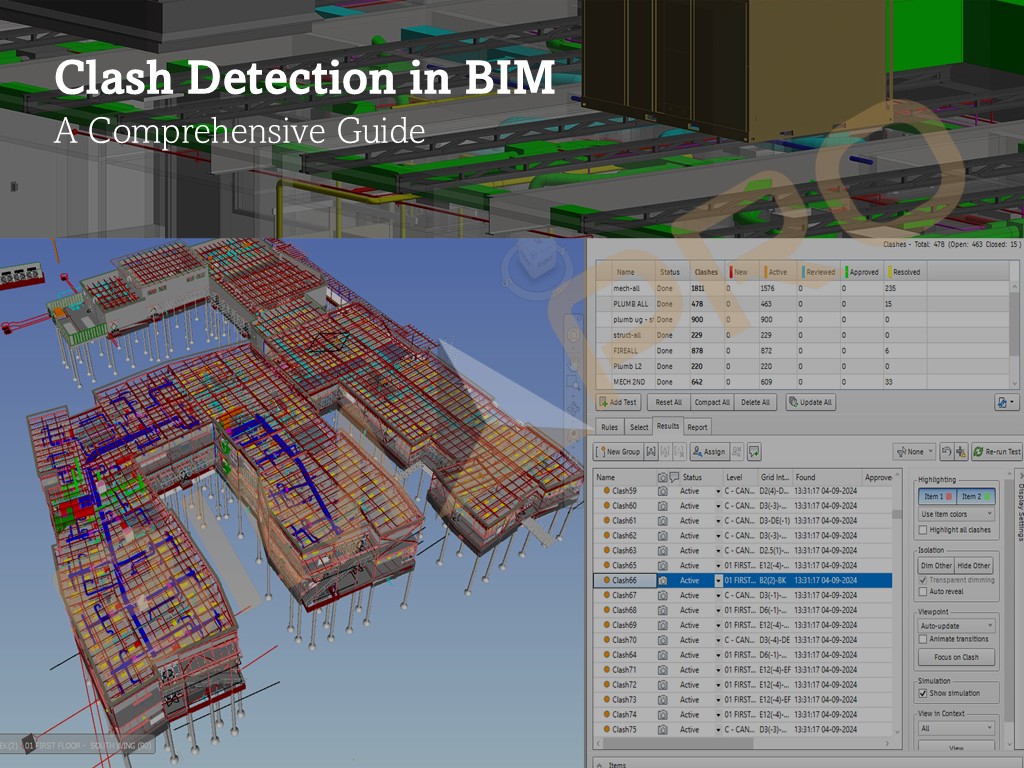
Clash detection in BIM is the process of finding conflicts or overlaps in a 3D building model before construction starts. It helps identify where different building elements, like pipes, walls, or beams, incorrectly pass through each other. BIM software automatically checks the model and highlights these clashes so they can be fixed early. This prevents mistakes, reduces delays, and saves money by avoiding rework during construction. There are three primary types of clashes in BIM:

Hard Clash

A hard clash occurs when two or more building components physically occupy the same space. For example, if a structural column passes through an HVAC duct, it creates a conflict that must be resolved. BIM tools like Autodesk Navisworks, Solibri, and BIM 360 detect these issues by comparing 3D models of different disciplines. Resolving hard clashes often involves redesigning or repositioning elements to avoid conflicts.

Soft Clash

Soft clashes, also known as clearance clashes, happen when elements do not physically intersect but violate spatial tolerances or safety requirements. For instance, an air conditioning unit may be too close to a ceiling or wall, limiting maintenance access. Soft clashes are crucial for ensuring that operational and safety standards are met, and they help optimize the functionality of building systems.

Workflow Clash

A workflow clash is not a physical interference but a scheduling or sequencing conflict in the construction process. These clashes occur when tasks are scheduled in a way that causes delays or inefficiencies. For example, if electrical wiring installation is scheduled after drywalling, rework may be required, leading to increased costs. BIM-based 4D simulations, which integrate time with 3D models, help detect and resolve workflow clashes, ensuring smoother project execution.

BIM Clash Detection Services - BIMPRO LLC

The Importance of Clash Detection in BIM

Clash detection plays a crucial role in improving project coordination, reducing costs, enhancing quality, and ensuring timely project completion. Let’s explore some of its key benefits in detail:

1. Cost Savings
One of the biggest benefits of Clash Detection is saving money. In construction, projects often go over budget because of unexpected problems, like needing to redesign or make changes. By catching clashes early in the design phase, we can fix issues before construction begins. This helps avoid costly delays and the need for rework.
For example, if we find a problem between HVAC ducts and structural beams during design, we can fix it by changing the design or materials before it becomes an issue on-site.

2. Time Efficiency
Clash Detection helps save time by catching problems early, so the construction process runs more smoothly. When problems are fixed during the design phase, there’s less need to stop work on-site to solve issues, which means faster project completion.
For example, if a clash between plumbing and electrical systems is found after construction begins, it could cause a lot of delays. With Clash Detection, we can find the problem early, make quick fixes, and keep the project on schedule.

3. Improved Collaboration and Communication
Clash Detection encourages teamwork between different groups (architects, engineers, and other professionals). By finding issues early, these teams can work together to solve them. This makes communication better and helps prevent misunderstandings during the project.
For instance, architects can talk to engineers about changing structural plans to make space for mechanical systems, avoiding problems later on.

4. Enhanced Quality Control
Clash Detection also helps with quality control. It ensures the design will meet the required standards and that systems will work properly. By fixing clashes in advance, we can make the design more efficient, safe, and high performing. It also helps spot errors that could be missed otherwise, reducing the chance of faulty installations and delays.

5. Risk Mitigation
Unexpected design problems can create safety risks, compliance issues, and costly downtime. Using Clash Detection lets us spot potential dangers early, like structural weaknesses or unsafe working conditions. It helps reduce risks related to building safety and system performance, ensuring everything meets regulations and is safe for workers and occupants.

Process of Clash Detection in BIM - BIMPRO

Process of Clash Detection in BIM

The process of clash detection involves several key steps that help streamline the workflow and minimize costly errors during construction. Here’s a detailed breakdown of the process:

Step 1: Creating a Comprehensive Model
The first and most important step in the clash detection process is creating a comprehensive, integrated 3D model. This model must include all relevant disciplines for the project, such as:

  • Architecture: The layout, space planning, and design elements, such as walls, floors, windows, doors, and finishes.
  • Structural Engineering: Structural elements like beams, columns, foundations, and load-bearing walls.
  • MEP Systems: This includes the design and layout of mechanical systems (HVAC), electrical systems (lighting, wiring, panels), and plumbing systems (pipes, drains, fixtures).
  • Other Systems: Depending on the project, other specialized systems might need to be integrated, such as fire protection, security systems, or telecommunications.

A complete, well-constructed model allows all disciplines to be visualized in a unified way, ensuring that there is a comprehensive understanding of how each system interacts with others. This holistic view makes it much easier to identify potential clashes or issues, which could otherwise be missed in a fragmented approach. A comprehensive model is the foundation for efficient clash detection, as it ensures that all components of the design are considered from the outset.

Step 2: Running Clash Detection Software
After the comprehensive 3D model has been created, the next step is to run it through Clash Detection software. This software is designed to identify conflicts, clashes, or interferences between the various systems within the model. Commonly used software for clash detection includes:

  • Autodesk Navisworks: Known for its ability to perform comprehensive clash detection and simulation, Navisworks can scan the 3D models of all disciplines and identify clashes quickly.
  • Solibri Office: A powerful tool for quality assurance, Solibri can detect clashes and perform code compliance checks to ensure that the design adheres to building regulations.
  • Revit: While primarily a BIM modeling tool, Revit also includes features for clash detection, particularly when models from different disciplines are integrated.
  • Revizto: Revizto is a cloud-based coordination platform that makes it easy for teams to view models, track clashes, and assign issues in real time. It brings designers, engineers, and contractors together in one place, making collaboration smoother and more efficient. It also works well with tools like Revit and Navisworks.

The Clash Detection software scans the model for geometry, spatial conflicts, and relationships between different systems. For instance, if an HVAC duct runs through a structural beam or plumbing pipes interfere with electrical wiring, the software flags these issues as clashes. The software generates a detailed list or visual report that highlights the exact locations of the clashes, making it easier for the team to address them efficiently.

Step 3: Review and Resolution
Once the software has detected potential clashes, the next step is to review and resolve these issues. The review process often involves:

  • Visualization: The identified clashes are visualized in a 3D environment to gain a clear understanding of where the conflicts are occurring and the severity of each issue. This helps stakeholders from different disciplines (e.g., architects, engineers, contractors) to see the problem firsthand.
  • Prioritization: Not all clashes are equal in terms of impact on the project. Some may have a significant effect on the project’s timeline or budget, while others might be relatively minor. The team must prioritize which issues to resolve first based on factors like severity, the ease of resolution, and the potential impact on construction.
  • Collaboration: The design teams, including architects, engineers, and MEP specialists, work together to propose solutions for the clashes. This may involve making adjustments to the design, such as rerouting pipes or ducts, moving walls, or changing the location of electrical fixtures. The goal is to find solutions that ensure all systems are coordinated and can function properly together.

This step is critical to avoid costly delays or errors during construction. Effective communication and collaboration between all disciplines are key to resolving clashes in a way that maintains the integrity and functionality of the overall design.

Step 4: Coordination Meetings and Communication
Regular coordination meetings are an essential part of the clash detection process. These meetings allow the various project stakeholders—such as architects, engineers, MEP specialists, contractors, and project managers—to discuss the identified clashes, evaluate potential solutions, and agree on the necessary adjustments to the design. Key elements of the coordination meetings include:

  • Clash review: The team reviews the identified clashes, evaluates their impact on the project, and discusses the best course of action.
  • Solution agreement: All parties involved agree on the proposed solutions and adjustments to the design. These discussions ensure that everyone understands the impact of each change and is aligned on the path forward.
  • Scheduling and timelines: Coordination meetings also help in planning the timeline for resolving clashes, making sure that any changes are implemented within the project’s deadlines.

Effective communication during these meetings is critical to ensure that all stakeholders are on the same page and that clashes are resolved as efficiently as possible. In the case of complex projects, these meetings may need to be held frequently to monitor progress and address any emerging issues.

Step 5: Re-running Clash Detection
Once the design team has made adjustments to the model to resolve the clashes, it is essential to re-run the clash detection process to ensure that the issues have been fully addressed. This is an iterative process, and the steps involved include:

  • Re-checking the model: After the design changes are made, the updated model is run through the clash detection software again to ensure that no new clashes have been introduced and that the previous issues have been successfully resolved.
  • Continuous refinement: This process may need to be repeated multiple times, particularly for larger or more complex projects. Each iteration helps fine-tune the design and ensures that the final model is free of clashes and ready for construction.
  • Final verification: Once the model passes the clash detection process without any issues, it can be considered clash-free, and the project can move forward with confidence. The final model serves as a reliable reference for all stakeholders during the construction phase.

This iterative process of running clash detection, reviewing, resolving, and re-running the analysis is essential to ensure that the project’s design is optimized for constructability and that there are no conflicts that could lead to delays or cost overruns during construction.

Looking for Clash Detection Services to Mitigtate Construction Risks?

Get in touch with BIMPRO LLC for clash detection services at +1 (346) 508-6588 or email us at info@bimprous.com

BIM Software for Clash Detection

Several BIM software tools specialize in clash detection, each offering unique features to cater to different project needs. Here’s a breakdown of some of the popular tools used for clash detection in BIM:

Autodesk Navisworks
Autodesk Navisworks is a powerful tool commonly used for large construction projects. It allows professionals to combine different building models—like architectural, structural, and MEP (Mechanical, Electrical, Plumbing)—into one unified 3D model. This makes it easier to spot clashes between these systems early in the design process. The software includes a feature called Clash Detective, which automatically checks for conflicts and helps resolve them before construction begins. It’s perfect for projects that involve multiple models and complex coordination, ensuring that everything fits together properly in the real world.

Revit
Revit is another popular BIM tool, particularly favored by architects, engineers, and construction professionals. Unlike other software, Revit allows for real-time clash detection, meaning any issues in the design can be spotted and addressed as the model is being built. This makes it a great tool for continuous coordination between different teams working on the same project. Revit’s integration of various building systems like architecture, structure, and MEP helps ensure that all elements are aligned, making it easier to detect and fix potential issues right away.

Solibri Office
Solibri Office is known for its ability to perform detailed quality checks and clash detection in BIM models. It uses a rule-based system, allowing users to set specific guidelines for detecting clashes or errors in the design. This means it can check not only for visual clashes but also for issues related to building codes or safety regulations. Solibri’s automated detection system helps ensure that any problems are found early, and its reporting features allow for easy communication of the issues to the project team. It’s an excellent tool for ensuring overall project quality and compliance with regulations.

Tekla BIMsight
Tekla BIMsight is a simple yet effective clash detection tool, especially useful for structural and MEP systems. It allows different models to be combined into one platform, making it easy to detect any potential issues between these systems. The software is designed to be user-friendly, so it’s accessible even for teams that may not have advanced technical skills. Tekla also promotes collaboration by allowing team members to share models and detect clashes together. It’s an ideal choice for projects focusing on the structural and MEP aspects of a building or infrastructure.

Bentley Navigator
Bentley Navigator is tailored for large infrastructure projects like roads, bridges, and utilities. It focuses on ensuring that all components of these complex systems fit together seamlessly before construction begins. Bentley Navigator offers tools for clash detection and project coordination, allowing stakeholders to work together to find and fix any potential issues in the design. It’s especially beneficial for large-scale infrastructure projects that require a high level of detail and collaboration between different teams. With its focus on infrastructure, it helps ensure that everything works as planned from start to finish.

Revizto
Revizto is a user-friendly, cloud-based tool that helps teams spot and fix clashes in building models. What makes it special is how it brings everyone—architects, engineers, contractors—into one shared workspace where they can view models, talk about issues, and keep track of what’s been resolved. It works with both 3D and 2D views, so it’s easy for anyone to jump in and understand what’s going on. One of the biggest strengths of Revizto is how well it connects the design team with the construction team, helping them stay on the same page throughout the project. It also works smoothly with other tools like Revit and Navisworks, which makes it a great choice for keeping coordination simple and efficient.

Best Practices for Clash Detection in BIM

Best Practices for Clash Detection in BIM

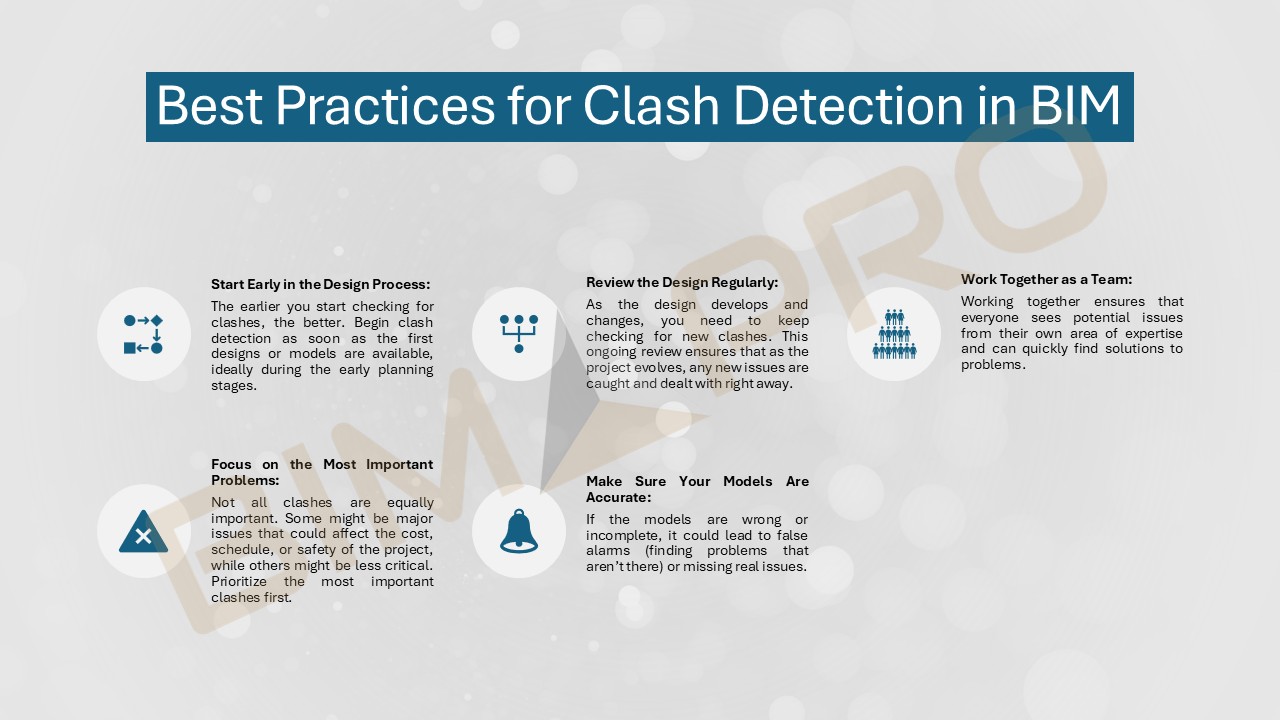
Clash detection in BIM is a key step to ensure that different parts of a building design work well together. It helps catch problems early so they can be fixed before construction starts, saving time and money. Here are some simple tips to make clash detection more effective:

1. Start Early in the Design Process
The earlier you start checking for clashes, the better. Begin clash detection as soon as the first designs or models are available, ideally during the early planning stages. Finding problems early helps you fix them before construction begins, preventing costly delays and mistakes down the line.

2. Review the Design Regularly
Clash detection should not just happen once—it should be a regular part of the process. As the design develops and changes, you need to keep checking for new clashes. This ongoing review ensures that as the project evolves, any new issues are caught and dealt with right away.

3. Work Together as a Team
Clash detection works best when everyone involved in the project is part of the process. Architects, engineers, contractors, and subcontractors should all be on the same page. Working together ensures that everyone sees potential issues from their own area of expertise and can quickly find solutions to problems.

4. Focus on the Most Important Problems
Not all clashes are equally important. Some might be major issues that could affect the cost, schedule, or safety of the project, while others might be less critical. Prioritize the most important clashes first, so you can address the biggest problems before tackling the smaller ones. This keeps the project moving smoothly and efficiently.

5. Make Sure Your Models Are Accurate
For clash detection to work, the models used must be accurate. If the models are wrong or incomplete, it could lead to false alarms (finding problems that aren’t there) or missing real issues. Always make sure the models are detailed and up-to-date to avoid these mistakes.

Conclusion

Clash Detection plays a crucial role in ensuring the success of Building Information Modeling (BIM) in today’s construction projects. It helps teams identify and fix any conflicts between different parts of the building early on, which is key to saving money, improving teamwork, and raising the quality of the design. By catching issues in the design phase, before construction even begins, teams can be sure they’re not facing any major problems down the road. As construction projects become more complex, the need for effective Clash Detection will only become more important. This makes it an essential tool for ensuring that projects are completed successfully and smoothly.

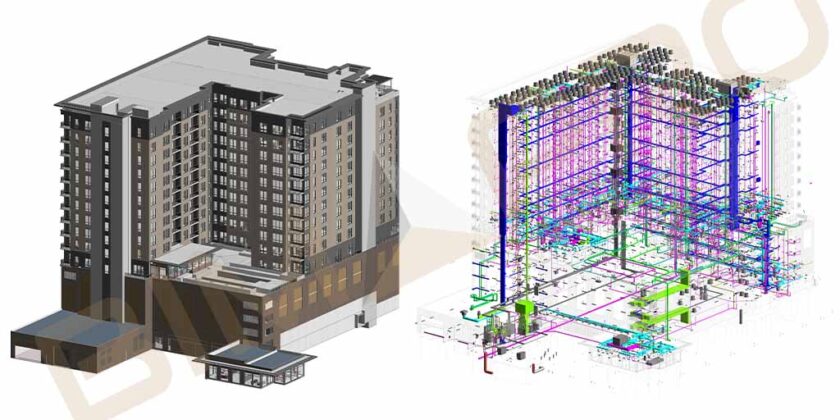
Plumbing BIM Coordination Services for Comal ISD Elementary School Project in Texas

Plumbing BIM Coordination Services for Comal ISD Elementary School Project in Texas

Comprehensive Plumbing Coordination Services for Educational Infrastructure in Texas

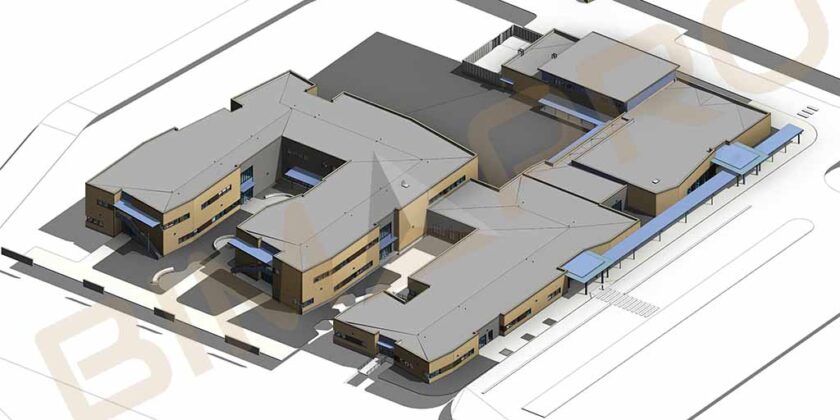
BIMPRO delivered detailed Plumbing BIM modeling and clash coordination services for the Comal ISD Elementary School project in New Braunfels, Texas. Our team ensured precise coordination between plumbing, mechanical, and architectural elements across five building zones, minimizing rework and improving construction efficiency.
  • Services Provided: Plumbing BIM Services | BIM Coordination Services
  • Building Type: Educational
  • Project Name: Comal ISD Elementary School
  • Project Location: New Braunfels, TX
  • Area: Approx. 140,000 sqft
  • Software: Revit, AutoCAD, Navisworks

Our Role in this Project:

  • BIMPRO was hired to produce most accurate and coordinated provent plumbing system model and resolve the active clashes thoughout the BIM coordination process.
  • We were to attend weekly BIM coordination meetings to actively share udpates on plumbing system progress with modeling and with any discrepencies with other trades. 

Why the Plumbing Subcontractor Trusted BIMPRO for Coordination Excellence?

  1. Delivered Most quality and Coordinated BIM Model
  2. Finished the BIM modeling and coordination before the construction schedules.
  3. Our accuracy, professionalism, and ability to deliver on time
  4. Effective communication and collaboration with design and construction teams throughout the project.
  5. Our proactive participation and approach in success of the project.
MEP BIM Services for Comal ISD ES School, New Braunfels, TX

Let us know about your Plumbing BIM Services Requirements

Explore More BIMPRO Project Success Stories

Explore how BIMPRO continues to deliver precision, innovation, and efficiency across various construction sectors through advanced BIM solutions.

Architectural BIM Modeling Services for Hospital Project in Chicago, IL - BIMPRO USA

Architectural 3D Modeling Services for Hospital Facility in Chicago, IL BIMPRO has developed an architectural 3D model during the design development phase …

Plumbing BIM Coordination Services for NBISD ES building project in Texas

Plumbing Coordination Services for New Braunfels Elementary School Building in Texas BIMPRO LLC have provided accurate and quality Plumbing modeling and coordination …

Plumbing BIM Services for Technology Building in Texas

Plumbing BIM Services for Technology Building in Harlingen, Texas BIMPRO LLC have provided exceptional Plumbing BIM Modeling and Clash Detection services for …

CAD to Revit Modeling Services for School Project in Baltimore, MD

CAD/PDF to Revit Modeling for Existing School Project in Baltimore, MD BIMPRO have provided architectural and MEP BIM modeling services for large …

Provent Plumbing BIM Services for Weston Urban S. Laredo

Provent Plumbing BIM Services for Weston Urban S. Laredo

Provent Plumbing Modeling Services for Weston S. Laredo Project in San Antonio, TX

BIMPRO provided the provent system modeling and clash coordination services for plumbing trade contractor for a Weston South Laredo Multi-family Apartment project based out of San Antonio, Texas.

  • Services Provided: Plumbing BIM Services | BIM Coordination Services
  • Building Type: Residential
  • Project Name: Weston Urban S. Laredo
  • Project Location: San Antonio, TX
  • Area: Approx. 716,000 sqft
  • Levels: 17 
  • Software: Revit, AutoCAD, Navisworks

Our Role in this Project:

  • BIMPRO was hired to produce most accurate and coordinated provent plumbing system model and resolve the active clashes thoughout the BIM coordination process.
  • We were to attend weekly BIM coordination meetings to actively share udpates on plumbing system progress with modeling and with any discrepencies with other trades. 

Benefits for Plumbing Sub-Contractor – Why they Choose us?

  1. Delivered Most quality and Coordinated BIM Model
  2. Finished the BIM modeling and coordination before the construction schedules.
  3. Our accuracy, professionalism, and ability to deliver on time
  4. Effective communication and collaboration with design and construction teams throughout the project.
  5. Our proactive participation and approach in success of the project.
Provent Plumbing BIM Services for Weston S Laredo Multi-family Apartment in San Antonio, Texas

Let us know about your Plumbing BIM Services Requirements

Explore More BIM Projects

Architectural BIM Modeling Services for Hospital Project in Chicago, IL - BIMPRO USA

Architectural 3D Modeling Services for Hospital Facility in Chicago, IL BIMPRO has developed an architectural 3D model during the design development phase …

Plumbing BIM Coordination Services for NBISD ES building project in Texas

Plumbing Coordination Services for New Braunfels Elementary School Building in Texas BIMPRO LLC have provided accurate and quality Plumbing modeling and coordination …

Plumbing BIM Services for Technology Building in Texas

Plumbing BIM Services for Technology Building in Harlingen, Texas BIMPRO LLC have provided exceptional Plumbing BIM Modeling and Clash Detection services for …

CAD to Revit Modeling Services for School Project in Baltimore, MD

CAD/PDF to Revit Modeling for Existing School Project in Baltimore, MD BIMPRO have provided architectural and MEP BIM modeling services for large …

MEP BIM Services for Tesla Giga Factory

MEP BIM Services for Tesla Giga Factory

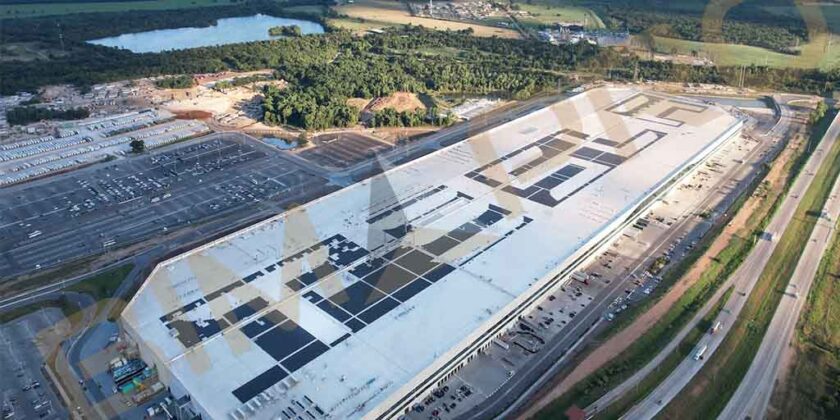
MEP BIM Services for Tesla Giga Factory in Austin, TX

As a BIM Services provider based in Texas, BIMPRO was assigned with the task of delivering MEP BIM Services for industrial manufacturing project including MEP (Mechanical, Electrical, and Plumbing) modeling, clash coordination, and shop drawings detailing, spool drawings services to support this ambitious project.

  • Building Type: Industrial
  • Project Name: Tesla Giga factory
  • Project Location: Austin, TX
  • Area: Approx. 425,500 sqft
  • Software: Revit, AutoCAD, Navisworks

Our Role in this Project:

  • MEP Modeling: Develop a comprehensive 3D MEP model that accurately represents the mechanical, electrical, and plumbing systems of the facility.
  • Clash Coordination: Identify and rectify clashes among various MEP components to ensure smooth operations and minimal errors during construction.
  • Shop Drawings: Create detailed shop drawings LOD 400 that provide precise manufacturing instructions for MEP components, ensuring consistency and quality in the products manufactured.
  • Spool Drawings Detailing: Generate spool drawings that outline the exact measurements and specifications for pipes, ducts and more, facilitating their efficient installation in the field.

Benefits for MEP Contractor – Why they Choose us?

  1. Delivered Most quality and Coordinated BIM Model
  2. Finished the BIM modeling and coordination before the construction schedules.
  3. Our accuracy, professionalism, and ability to deliver on time
  4. Effective communication and collaboration with design and construction teams throughout the project.
  5. Our proactive participation and approach in success of the project.
Spool Drawing Services for Tesla Giga Factory project in Austin, TX - BIMPRO USA
MEP Modeling Services for Tesla Giga Factory industrial project in Austin, TX

Let us know your about your MEP BIM Requirements

Explore More BIM Projects

The current query has no posts. Please make sure you have published items matching your query.
Architectural Revit Services for Hospital Project in Chicago, IL

Architectural Revit Services for Hospital Project in Chicago, IL

Architectural 3D Modeling Services for Hospital Facility in Chicago, IL

BIMPRO has developed an architectural 3D model during the design development phase with the detailing of LOD 300 of interior and exterior architectural components.

Our Role in this Project:

  • During the design development phase, client asked to produce the Architectural 3D model, created the architectural drawing set as per company standard. 
  • LOD 300 level of detailing required for interior architectural objects and exterior walls for architectural visualization.

Benefits for Architectural Firms – Why they Choose us?

  1. Produce the most accurate and quality Architectural BIM Model.
  2. Improve BIM workflow, reduce rework, speed up project timelines
  3. We ensure to meet industry standards like AIA, NBIMS, and LOD requirements.
  4. We serve architectural firms nationwide across USA
  5. Professional BIM team with 1,000+ projects of experience.
  6. Quick turnaround deliverables committed by BIMPRO without compromising the quality.
Architectural BIM Services for Hospital Project in Chicago, IL - BIMPRO LLC USA
Revit Architectural Modeling Services for Hospital Project in Chicago, IL USA

Let us know your about your Architectural BIM Requirements

Explore More BIM Projects

The current query has no posts. Please make sure you have published items matching your query.
Understanding BIM Outsourcing: Challenges, Benefits, and Strategies

Understanding BIM Outsourcing: Challenges, Benefits, and Strategies

Understanding BIM Outsourcing Services in USA

Building Information Modeling (BIM) outsourcing has become an essential practice in the architectural, engineering, and construction (AEC) industry in the United States. With the rapid adoption of digital workflows and increasing project complexity, firms are seeking more efficient ways to handle BIM-related tasks. Outsourcing BIM services allows firms to access specialized expertise, reduce operational costs, and improve project turnaround times. However, despite its many advantages, outsourcing also comes with certain challenges that firms must address to ensure seamless project execution.

In this detailed guide, we will explore BIM outsourcing in depth, discussing its significance, advantages, potential obstacles, and strategies to optimize the outsourcing process for maximum efficiency and success.

What is BIM Outsourcing?

BIM outsourcing refers to the practice of delegating BIM-related tasks to external service providers. These tasks can range from 3D modeling and clash detection to construction documentation, coordination, cost estimation, and visualization. Companies may choose to outsource BIM services either to domestic firms within the United States or to international providers offering cost-effective solutions.

Outsourcing is particularly beneficial for AEC firms that do not have an in-house BIM team or need additional support to meet project deadlines. By outsourcing, firms can leverage external expertise, advanced software tools, and scalable resources without the need for significant internal investment.

Key BIM Outsourcing Services in USA?

BIM outsourcing companies provide important services that help architectural, engineering, and construction (AEC) firms complete their projects smoothly and efficiently. These services help reduce costs, improve collaboration, and speed up the design and construction process. Here’s a breakdown of the most common BIM services offered:

One of the key services is creating detailed, smart 3D models of buildings. These models show how the building will look and how all its parts, like the structure, plumbing, and electrical systems, will fit together. The models can range from early concepts (LOD 100) to final, as-built models (LOD 500). These 3D models are used for visualization, testing designs, and making sure everything works before construction begins.

Clash detection Services helps identify problems where different parts of the building design, like the architecture, structure, and MEP systems, don’t fit together. Using special software like Navisworks, BIM teams can find these issues early and fix them, which saves time and money later. The goal is to avoid costly mistakes during construction by fixing problems in the design phase.

Scan to BIM service involves turning laser scans of existing buildings into accurate 3D models. It’s particularly useful for renovation projects or when working on old buildings. The scanned data helps create as-built documentation, which can then be used for design, planning, or managing the building’s maintenance.

BIM can also be used to manage a building after it’s completed. By linking the BIM model with facility management tools, building owners can track assets, plan maintenance, and manage space efficiently. It helps reduce costs by improving the building’s energy efficiency and ensuring everything runs smoothly during its lifetime.

BIM 4D involves linking the 3D model with the project schedule, so construction teams can plan out the building process step-by-step. This helps identify delays early and adjust the timeline. BIM 5D goes a step further by adding cost and material calculations to the model, allowing for accurate budgeting and financial planning throughout the project.

BIM outsourcing companies also prepare detailed drawings and documents needed for construction. These include things like construction drawings, shop drawings, and permit documents. The goal is to ensure that all plans follow local building codes and standards. These documents help keep the project on track and make sure everyone involved is working with the most up-to-date information.

MEP BIM services focus on the modeling of the building’s mechanical, electrical, and plumbing systems. BIM models are created for systems like heating, ventilation, air conditioning (HVAC), plumbing, electrical wiring, and fire protection. These models help ensure that all systems fit together properly and work efficiently. Additionally, prefabricated MEP systems can be built off-site and then assembled on-site, which speeds up construction.

Structural BIM services involve creating models for a building’s structure, like steel framing, concrete, and reinforcement. These models help engineers ensure that the building will be strong, stable, and safe. The models can be tested for stress and load conditions, helping to find any weaknesses and optimize the design for performance and cost savings.

Outsourcing BIM in the USA for Architectural, Engineering, and Construction Firms

Building Information Modeling (BIM) has revolutionized the architecture, engineering, and construction (AEC) industries by improving collaboration, reducing errors, and streamlining workflows. However, managing an in-house BIM team requires significant investment in software, infrastructure, and skilled personnel. This has led many firms across the AEC spectrum to consider outsourcing BIM services as a cost-effective and efficient solution.

Why Architectural Firm in USA Should Outsource BIM?

Architectural firms are primarily concerned with design innovation and functionality. While BIM plays a crucial role in project execution, maintaining an in-house team with the necessary expertise can be expensive and time-consuming. By outsourcing Architectural BIM services, architectural firms can focus on conceptual design and client interactions while ensuring that their projects benefit from high-quality BIM modeling and documentation. Outsourcing allows firms to leverage a team of experienced BIM professionals who specialize in using advanced tools like Autodesk Revit, Navisworks, and BIM 360. These experts not only enhance design coordination but also help identify potential conflicts early, improving project accuracy and efficiency.

Commonly outsourced BIM services for architects include 3D BIM modeling, where both conceptual and detailed models are created to aid in design development and visualization. Comprehensive BIM documentation is also provided, including detailed plans, elevations, and sections, which are necessary for securing permits and facilitating construction. Revit family creation services is another key service, where tailored components are developed and standardized for consistency across designs. Clash detection helps identify and resolve conflicts between architectural, structural, and MEP elements, ensuring smoother integration of all systems. Lastly, scan to BIM services are offered for renovations and historical preservation projects, converting physical structures into accurate digital models for future planning and management.

BIM Outsourcing Services for Architectural Firms in USA

Why Engineering Firms in USA Should Outsource BIM?

Engineering firms, whether focusing on structural, mechanical, electrical, or plumbing (MEP) systems, require accurate BIM models to validate designs and ensure system integration. Outsourcing BIM allows these firms to concentrate on their core competencies while utilizing specialized BIM teams skilled in compliance, coordination, and clash detection. Outsourcing also facilitates advanced simulations, such as energy analysis and structural integrity assessments, which help engineers optimize their designs, ensure compliance with codes, and minimize rework during the construction phase.

Commonly outsourced BIM services for engineers include structural BIM modeling, where steel, concrete, and wood structures are modeled to validate design integrity and support construction. MEP BIM modeling ensures optimal coordination and efficiency for HVAC, electrical, and plumbing systems. 4D and 5D BIM services integrate construction schedules (4D) and cost estimation (5D), improving planning and execution. Clash detection and resolution help prevent conflicts between systems before construction begins, saving time and money. Additionally, digital twin creation involves developing virtual representations of physical assets, enabling predictive maintenance and enhanced lifecycle.

BIM Outsourcing Services for Engineering Firms in USA

Why Construction Firms in USA Should Outsource BIM?

Construction firms are under constant pressure to manage project timelines, minimize costs, and ensure safety on-site. Outsourcing BIM services provides these firms with the tools and expertise needed to streamline construction planning, improve coordination, and optimize resource allocation. BIM technologies enable better site logistics, prefabrication, and clash detection, resulting in fewer delays and less material wastage. Furthermore, integrating BIM with 4D scheduling and 5D cost estimation helps construction firms forecast timelines and budgets with higher accuracy.

Commonly outsourced BIM services for construction firms include clash detection and resolution, which helps identify and fix conflicts before construction begins, reducing delays and errors during execution. Quantity take-off and cost estimation using 5D BIM provide detailed material lists and accurate cost projections, aiding budgeting and planning. 4D BIM services optimize construction scheduling and progress tracking through time-based simulations. As-built documentation is also crucial, as BIM models offer precise data for post-construction maintenance and future facility management. Additionally, BIM supports prefabrication and modular construction planning, allowing for offsite fabrication, which reduces waste and enhances the efficiency of the construction process.

BIM Outsourcing Services for Construction Firms in USA

Benefits of BIM Outsourcing?

One of the biggest advantages of BIM outsourcing is cost savings. Developing an in-house BIM team requires significant investment in hiring, training, and maintaining skilled professionals. Moreover, BIM software licenses, hardware, and infrastructure can add to the operational costs. By outsourcing, firms can eliminate these overhead expenses and pay only for the services they require, making it a cost-effective solution.

BIM outsourcing firms specialize in BIM technology and offer expertise in various software, including Autodesk Revit, Navisworks, SketchUp, Bentley MicroStation, and ArchiCAD. These service providers stay updated with the latest advancements, ensuring that projects benefit from state-of-the-art techniques and best practices. Additionally, outsourcing firms often have teams of skilled professionals, including architects, engineers, and BIM specialists, who can provide valuable insights and deliver high-quality work.

AEC firms often experience fluctuations in workload depending on project size and complexity. Maintaining an in-house BIM team can be challenging during periods of low project demand. Outsourcing offers the flexibility to scale resources up or down based on project needs. Whether a firm requires short-term support for a specific project or long-term assistance, outsourcing allows them to adapt quickly without additional hiring and training costs.

BIM outsourcing firms operate with dedicated teams that can work on projects around the clock, especially when working with international providers in different time zones. This 24/7 work cycle ensures faster project delivery without compromising quality. Additionally, outsourcing helps distribute workloads efficiently, allowing in-house teams to focus on core activities such as design, client communication, and project management.

By outsourcing BIM services, firms can delegate non-core tasks to external experts and focus on their primary business objectives. AEC firms can concentrate on strategic planning, design development, client interactions, and project execution while ensuring that BIM deliverables are handled by specialists. This division of work enhances overall productivity and efficiency.

Challenges of BIM Outsourcing?

Effective communication is essential for successful BIM outsourcing. When working with offshore providers, language differences, cultural variations, and time zone gaps can create challenges in conveying project requirements clearly. Misinterpretations can lead to errors, delays, and rework, impacting overall project efficiency.

BIM models contain critical project information, including architectural designs, structural details, and proprietary data. Sharing sensitive information with third-party providers raises concerns about intellectual property protection and data security. Firms must ensure that their outsourcing partners adhere to strict confidentiality agreements and comply with industry security standards to prevent unauthorized data access.

The quality of BIM deliverables can vary between outsourcing providers. If quality standards are not well-defined at the beginning of the collaboration, there is a risk of receiving subpar work that requires additional revisions. Inconsistent modeling practices, variations in file formats, and non-compliance with project standards can affect the integration of BIM deliverables into larger workflows.

Seamless integration between outsourced BIM services and in-house teams is essential for smooth project execution. Differences in work methodologies, software preferences, and file management practices can create inefficiencies. Without proper coordination, outsourcing may lead to workflow disruptions rather than improvements.

BIM projects in the United States must comply with federal, state, and local building regulations, as well as industry standards such as ISO 19650 and the National BIM Standard – United States (NBIMS-US). When outsourcing to international providers, ensuring compliance with these regulations can be challenging. Firms must work with providers who have experience in adhering to U.S. standards and requirements.

Strategies for Successful BIM Outsourcing

To overcome the challenges of BIM outsourcing and maximize its benefits, AEC firms should implement the following strategies:

  1. Choose the Right Outsourcing Partner: Conduct thorough research before selecting a BIM outsourcing firm. Evaluate their industry experience, technological expertise, past project portfolio, and client reviews. It is essential to partner with a company that understands the specific requirements of the U.S. market and follows industry best practices.
  1. Establish Clear Communication Channels: Effective communication is key to a successful outsourcing partnership. Use collaboration tools such as Autodesk BIM 360, Microsoft Teams, Asana, or Slack to maintain transparent communication. Conduct regular video calls, project meetings, and progress updates to ensure alignment between in-house and outsourced teams.
  1. Define Project Scope, Deliverables, and Expectations: Clearly outline project requirements, scope, deliverables, and deadlines at the beginning of the collaboration. Establish detailed guidelines for modeling standards, file formats, and documentation procedures to prevent misinterpretations and ensure consistency in deliverables.
  1. Implement Quality Control Measures: Set up a structured quality assurance process to review BIM models and drawings before final submission. Conduct periodic milestone reviews, implement peer reviews, and ensure adherence to industry standards to maintain high-quality outputs.
  1. Ensure Data Security and Compliance: Protect sensitive project data by signing Non-Disclosure Agreements (NDAs) and implementing secure data-sharing protocols. Work with outsourcing partners who follow strict security policies and comply with international data protection regulations.
  1. Build Long-Term Partnerships: Instead of frequently switching outsourcing providers, firms should aim to establish long-term relationships with reliable BIM partners. A consistent partnership fosters better understanding, improved collaboration, and streamlined workflows over time.

The Future of BIM Outsourcing

The future of BIM outsourcing is evolving rapidly, driven by the adoption of cutting-edge technologies that enhance the capabilities of traditional BIM practices.

    1. AI-Powered BIM Automation: One of the most impactful advancements is AI-powered BIM automation, where artificial intelligence is used to automate repetitive tasks such as model updates, clash detection, and design adjustments. This automation not only boosts efficiency but also reduces the potential for human error, streamlining the entire BIM process from design to construction and maintenance. By utilizing AI, BIM outsourcing firms can deliver faster turnaround times and more accurate results, allowing architects, engineers, and construction firms to focus on more complex and creative aspects of their projects.
    2. Cloud-based BIM collaboration: Platforms such as BIM 360, Procore, and Trimble Connect, are transforming how teams across the world work together. These platforms enable real-time collaboration, allowing stakeholders to access, review, and update BIM models anytime and from anywhere. This connectivity is especially beneficial for large, geographically dispersed teams, enabling seamless coordination between architects, engineers, contractors, and clients. The ability to work in a cloud environment also enhances data security, version control, and decision-making by ensuring that everyone is always working with the latest version of the project.
    3. Sustainability and Energy Analysis: As sustainability becomes a more pressing concern in the construction industry, BIM is playing a pivotal role in supporting energy efficiency and carbon footprint reduction. Through energy modeling, BIM tools help predict how buildings will perform in terms of energy use, daylight, and overall environmental impact. This allows architects and engineers to design buildings that are not only energy-efficient but also environmentally responsible. BIM also aids in optimizing materials and systems, which helps reduce waste and lowers operational costs over the building’s lifecycle, contributing to more sustainable construction practices.
    4. Digital Twins: Another exciting development in the future of BIM outsourcing is the rise of Digital Twins, which are virtual replicas of physical buildings or assets. By integrating real-time data from IoT sensors and other sources, Digital Twins provide continuous, up-to-date insights into the operation of a building. This technology is particularly beneficial for facility management, as it allows for proactive maintenance, predictive repairs, and efficient resource allocation. With Digital Twins, facility managers can monitor the performance of various systems, detect issues before they escalate, and improve the overall efficiency and sustainability of smart buildings. This approach not only enhances operational efficiency but also creates new opportunities for BIM outsourcing firms to offer long-term, ongoing support for building owners and managers.

As these technologies continue to develop, the role of BIM outsourcing will become even more integral to the success of construction projects, providing more intelligent, efficient, and sustainable solutions to meet the demands of an increasingly complex built environment.

Conclusion

Outsourcing BIM is a strategic decision for architectural, engineering, and construction firms looking to enhance productivity, reduce costs, and improve project accuracy. By partnering with experienced BIM service providers, AEC firms can optimize project execution while focusing on their core competencies. As BIM technology continues to evolve, outsourcing will play an increasingly vital role in shaping the future of the industry. With cloud-based collaboration, AI-driven automation, and advanced simulation capabilities, outsourced BIM services will continue to drive efficiency, innovation, and sustainability in AEC projects. By leveraging external expertise, firms can navigate the complexities of modern construction, stay competitive, and deliver high-quality projects on time and within budget.

Cloud-Based BIM: Transforming the AEC Industry

Cloud-Based BIM: Transforming the AEC Industry

Cloud-based BIM - Transforming AEC

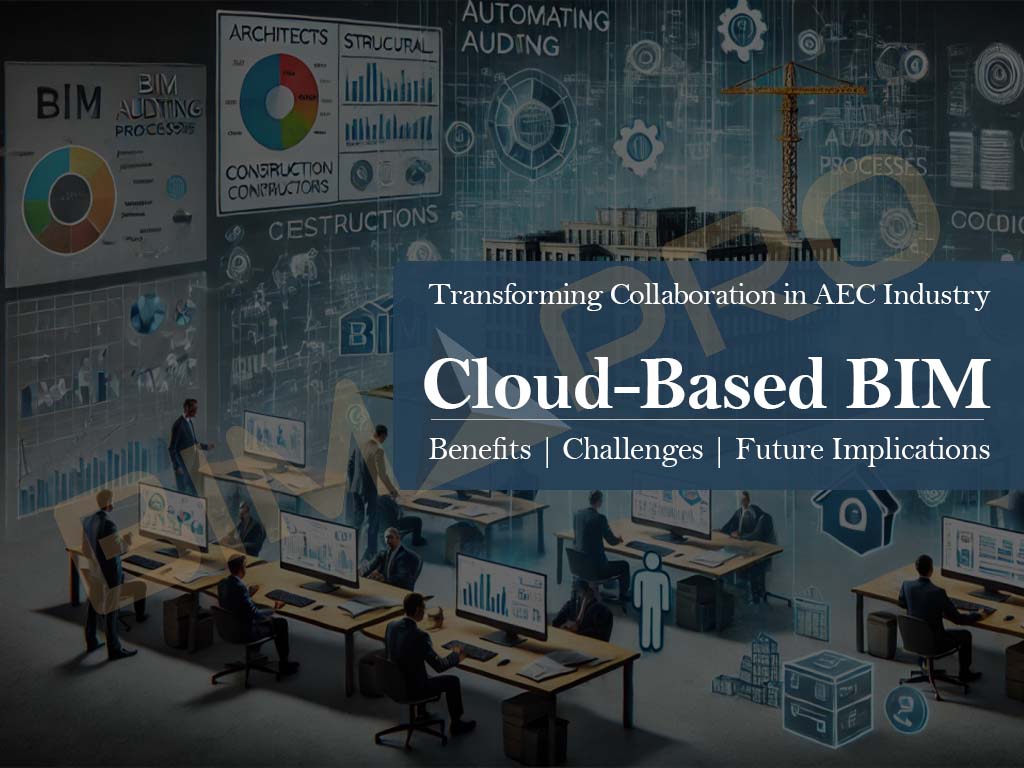
Building Information Modeling (BIM) has significantly transformed the Architecture, Engineering, and Construction (AEC) industry by improving project visualization, coordination, and overall efficiency. However, the integration of cloud computing has taken BIM to an entirely new level by enabling real-time collaboration, data accessibility, and seamless project management. Cloud-based BIM allows stakeholders, including architects, engineers, and contractors, to access and work on BIM models from anywhere, ensuring streamlined workflows and enhanced communication. This blog explores the key benefits, challenges, and future implications of cloud-based BIM solutions.

How Cloud-Based BIM Benefits Architects, Engineers, and Contractors

Cloud-based BIM offers many advantages to professionals in the AEC industry. Here’s how it helps:

1. Real-Time Collaboration

Before cloud-based BIM, architects, engineers, and contractors had to send files back and forth, often leading to confusion over which version was the latest. With cloud-based BIM, multiple users can work on the same model at the same time, ensuring that everyone has access to the most up-to-date information. This reduces errors and saves time.

2. Increased Efficiency and Productivity

When all project data is stored in one place and updated in real-time, tasks such as clash detection, design reviews, and coordination become much faster and more efficient. Cloud-based BIM eliminates the need for manual file transfers and speeds up decision-making, allowing teams to complete projects more quickly and accurately.

3. Cost Savings

Setting up traditional BIM systems requires expensive servers and IT maintenance. With cloud-based BIM, companies can use subscription-based services instead of investing in costly infrastructure. This is especially beneficial for small and medium-sized firms that need flexible, budget-friendly solutions.

4. Access from Anywhere

With cloud-based BIM, professionals can access project models and data from any device with an internet connection. Whether working from the office, on-site, or remotely, users can view and edit BIM models in real-time, making project management more flexible and efficient.

How Cloud-Based BIM Enhances Real-Time Collaboration and Coordination

One of the most powerful features of cloud-based BIM is its ability to enhance real-time collaboration and coordination among project stakeholders. Unlike traditional BIM workflows, where files must be manually shared and updated, cloud-based BIM ensures that updates are instantly reflected for all team members. This reduces the chances of miscommunication and allows for more efficient decision-making.

Cloud-based BIM platforms also offer automated clash detection, helping teams identify and resolve conflicts in the design phase before they become costly issues during construction. Additionally, these platforms integrate with various design and construction software, such as Revit, AutoCAD, and Navisworks, ensuring interoperability and smoother workflows.

Top Cloud-Based BIM Platforms: Features and Comparisons

There are several cloud-based BIM platforms available today, each offering unique features designed to meet the needs of AEC professionals. Some of the most popular solutions include:

  1. Autodesk Construction CloudA unified platform combining BIM 360, Autodesk Build, Autodesk Takeoff, and other tools to streamline workflows, enhance collaboration, and improve construction project outcomes.
  2. Autodesk BIM 360 – A comprehensive BIM platform that offers cloud storage, real-time collaboration, and project insights. It seamlessly integrates with Autodesk products like Revit and Navisworks.
  3. Trimble Connect – Designed for construction and design professionals, Trimble Connect provides collaboration tools that enhance communication and coordination. It integrates with SketchUp and Tekla.
  4. Graphisoft BIMcloud – A solution specifically designed for Archicad users, Graphisoft BIMcloud enables real-time model synchronization and version control.
  5. Newforma Konekt – Focused on issue tracking and coordination management, “Newforma Konekt” was earlier known as “BIM Track” which improves communication between stakeholders and enhances project efficiency.
  6. Procore – A widely used construction management software that offers BIM integration, document management, scheduling, and real-time collaboration, helping teams improve project efficiency and reduce errors.

Each of these platforms provides distinct advantages, allowing firms to choose a solution that best fits their project requirements.

Data Security and Privacy in Cloud-Based BIM Workflows

Data security is a significant concern when adopting cloud-based BIM solutions. To ensure secure workflows, leading cloud BIM providers implement robust security measures such as end-to-end encryption, which protects data during transmission and storage. Additionally, role-based access control (RBAC) ensures that only authorized personnel have access to sensitive project information, minimizing the risk of unauthorized access.

Regular backups are another critical aspect of cloud-based BIM security. These backups prevent data loss in the event of system failures or cyberattacks. Furthermore, compliance with industry standards such as ISO 19650 ensures that cloud-based BIM solutions meet stringent data management and security protocols.

Cloud-Based BIM for Remote Project Management and Site Coordination

Remote project management has become increasingly essential in the construction industry, and cloud-based BIM plays a pivotal role in enabling it. With live site updates, contractors and project managers can access the latest construction models from the field, eliminating the need for constant physical meetings or manual data transfers.

Cloud-based BIM also supports issue reporting and tracking, allowing stakeholders to document and resolve design changes in real-time. This enhances communication between site teams and design offices, ensuring that all project participants are aligned with the latest developments.

The Role of AI and Automation in Cloud-Based BIM Solutions

Artificial Intelligence (AI) and automation are playing an increasingly important role in cloud-based BIM solutions. AI-driven capabilities such as automated clash detection help detect design inconsistencies early, reducing rework and improving project accuracy. Predictive maintenance powered by AI analytics can foresee potential construction issues and suggest preventive measures, leading to better project outcomes.

Generative design, another AI-driven innovation, allows architects to create optimized design models based on specific constraints and project goals. This not only accelerates the design process but also results in more efficient and innovative building solutions.

Cloud-Based BIM vs. Traditional BIM: A Comparative Analysis

When comparing cloud-based BIM to traditional BIM, several key differences emerge. Traditional BIM relies on local servers and manual file-sharing, whereas cloud-based BIM provides real-time multi-user collaboration with centralized data storage. The cost factor also differs significantly, as traditional BIM setups require high infrastructure investments, while cloud-based BIM operates on a subscription model, making it more affordable.

Another critical difference is software updates. Traditional BIM requires manual installations and periodic updates, whereas cloud-based solutions receive automatic updates, ensuring users always have access to the latest features and security patches.

Features Traditional BIM Cloud-Based BIM
Accessibility Limited to local servers Accessible from anywhere
Collaboration Requires manual file sharing Real-time collaboration
Cost High setup costs Subscription-based, more affordable
Security Managed in-house Cloud providers ensure encryption and backups
Software Updates Manual updates required Automatic updates with new features
Traditional Cloud vs BIM Cloud

Challenges and Considerations When Adopting Cloud-Based BIM

While cloud-based BIM offers numerous benefits, it also presents certain challenges. One of the primary concerns is internet dependency, as a stable and high-speed internet connection is essential for smooth operation. In locations with limited connectivity, this can become a barrier to adoption.

Data security concerns also persist, as cloud-based systems are potential targets for cyberattacks. Firms must ensure they use secure platforms with encryption and access control mechanisms to mitigate these risks. Additionally, a learning curve exists for professionals unfamiliar with cloud-based workflows, requiring training and adaptation efforts.

Integration with existing systems can also be challenging, particularly for firms that use legacy BIM software. Ensuring seamless compatibility and data transfer between old and new systems is crucial for a successful transition.

The Future of Cloud-Based BIM

  1. Blockchain for Security and Data Integrity
    Blockchain technology will improve BIM by providing a decentralized, tamper-proof ledger for storing and verifying data. This enhances transparency, data integrity, and security, ensuring traceability in design changes and streamlining project approvals and payments through smart contracts.
  2. 5G Connectivity for Real-Time Collaboration
    5G will enable ultra-fast, low-latency data transfers, allowing real-time collaboration on large BIM files. This will improve remote access to BIM models, support AI and IoT integration, and make cloud-based BIM more accessible to firms of all sizes.
  3. IoT for Smart Construction
    IoT sensors will provide real-time data on construction sites, monitoring parameters like structural integrity, energy usage, and safety. Integrating IoT with BIM will enable predictive maintenance, improve safety, and enhance productivity by optimizing material and equipment usage.
  4. VR and AR for Immersive BIM Experiences
    Virtual Reality (VR) will allow stakeholders to walk through BIM models in 3D before construction begins, aiding design validation. Augmented Reality (AR) will overlay BIM models onto real-world sites for better coordination and reduced errors, enhancing stakeholder engagement and project accuracy.
  5. AI and Machine Learning for Predictive Analytics
    AI and machine learning will analyze BIM data to predict delays, cost overruns, and automate tasks like clash detection. These technologies will also generate optimized designs, reducing material waste and improving decision-making for more efficient project delivery.
  6. Sustainability and Carbon Tracking in BIM
    Cloud-based BIM will help reduce carbon footprints by integrating tools for automated carbon footprint analysis and real-time environmental impact tracking. This will assist in selecting eco-friendly materials and ensuring compliance with green building standards, promoting sustainable construction practices.

Conclusion

In conclusion, cloud-based BIM is changing the way construction projects are managed and executed. Unlike traditional methods, cloud-based BIM allows project teams to work together in real time, no matter where they are located. This means architects, engineers, and contractors can access and update project information instantly, leading to better collaboration and fewer mistakes.

One of the biggest advantages of using cloud-based BIM is the ability to store all project data in one central location that everyone can access. This makes it easier to share important documents, plans, and updates, which helps to avoid delays and miscommunications. Teams can also track progress more effectively and quickly spot any potential issues before they become problems.

Another key benefit is the cost savings and flexibility it offers. Cloud-based solutions don’t require expensive hardware or software, as everything can be accessed online. This helps businesses save money while still benefiting from powerful tools. Plus, as cloud storage is scalable, businesses can increase or decrease their usage depending on project needs, making it a flexible solution for all types of projects.

Overall, cloud-based BIM is making construction projects more efficient, collaborative, and cost-effective. As technology continues to advance, it will become an even more important tool for businesses that want to stay competitive and deliver high-quality projects on time and within budget.

Plumbing BIM Coordination for Elementory School in Texas

Plumbing BIM Coordination for Elementory School in Texas

Plumbing Coordination Services for New Braunfels Elementary School Building in Texas

BIMPRO LLC have provided accurate and quality Plumbing modeling and coordination services for a New Braunfels ES project in Texas.

Our Role in this Project:

  • BIMPRO’s scope of work was to produce most accurate and coordinated Plumbing 3D model, sleeve drawings and shop drawings.
  • We were to attend weekly BIM coordination meetings to proactively resolve plumbing issues and clashes to facilitate BIM coordination efforts effectively.

Project Description:

Our skill in creating detailed and accurate plumbing models helped reduce most complex hard design clashes and errors during the BIM coordination process. Our focus on precision and attention to detail minimized conflicts between MEP systems, making the design more efficient for construction. We take a proactive approach to resolving clashes, helping plumbing contractors, other trade contractors and general contractors to make constructive and efficient decision for construction.

Benefits for Plumbing Contractor – Why they Choose us?

  1. Deliver most quality and coordinated plumbing BIM model
  2. Finish the BIM modeling and coordination before the construction schedules.
  3. Our accuracy, professionalism, and ability to deliver on time
  4. We bridge the BIM gap between plumbing contractor and general contractor to deliver peace of mind
  5. Our proactive participation and approach in success of the project.
Plumbing Modeling Services for NBISD ES project in Texas
Plumbing BIM Modeling Services for NBISD ES project in Texas

Let us know about your Plumbing Coordination Services Requirements

Explore More BIM Projects

The current query has no posts. Please make sure you have published items matching your query.
The Evolution of BIM: From 2D Drafting to 7D BIM

The Evolution of BIM: From 2D Drafting to 7D BIM

The Evolution of BIM - 2D Drafting to 7D BIM BIMPRO LLC

The construction industry has witnessed a remarkable transformation over the past few decades, driven by technological advancements. One of the most significant innovations is Building Information Modeling (BIM). What started as simple 2D drafting has evolved into a comprehensive system encompassing multiple dimensions. From design to maintenance, BIM has revolutionized the way we plan, construct, and manage buildings. In this blog, we will explore the journey of BIM from its early days to the highly advanced 7D BIM we see today.

The Era of 2D Drafting: The Beginning

Before the advent of BIM, architects, engineers, and designers relied on 2D drafting techniques. Blueprints and technical drawings were manually created on paper, requiring immense precision and effort. The introduction of computer-aided design (CAD) in the 1960s and 1970s brought a significant shift, allowing professionals to create digital 2D drawings. However, these drawings remained static representations, often leading to errors, miscommunication, and time-consuming revisions. The lack of data integration meant that project information was scattered, leading to inefficiencies in project execution and management.

Moreover, 2D drafting required extensive manual labor for each stage of the design process. Any changes in the design had to be redrawn from scratch, consuming valuable time. Coordination between different teams was also challenging, as changes in one discipline often led to inconsistencies in others. Errors were only discovered during construction, resulting in costly rework and delays. Additionally, quantity take-offs and bill of materials (BOM) had to be calculated manually, increasing the risk of miscalculations and cost overruns.

 Reach out to BIMPRO for 2D Drafting services. We let you focus on design while we take complete care of 2D & 3D drafting.

The Transition to 3D Modeling: A Game Changer

The limitations of 2D drafting led to the development of 3D modeling. In the late 20th century, software like AutoCAD, Revit, and ArchiCAD introduced the concept of three-dimensional design. 3D modeling provided a more realistic and detailed representation of structures, improving visualization and coordination among stakeholders. Architects and engineers could now see their designs in a virtual environment before construction began, allowing for better planning and reducing costly errors.

Unlike 2D drawings, 3D models allowed for a more intuitive understanding of spatial relationships. Teams could detect clashes between different systems, such as plumbing and electrical, before construction, leading to a significant reduction in errors. However, despite the added dimension, it still lacked data integration and intelligence, as it mainly focused on geometry rather than project information management. At this stage, Level of Development (LOD) concepts started emerging, enabling different stakeholders to define and refine the details of the BIM model at different stages of the project lifecycle.

 Reach out to BIMPRO for quality and precise 3D Modeling Services

2D Drafting to 3D BIM Modeling Evolution

4D BIM: Adding the Time Dimension

The next breakthrough in BIM came with the introduction of the fourth dimension: time. 4D BIM integrates project scheduling with 3D models, enabling stakeholders to visualize the construction sequence over time. This advancement improved project planning, reduced delays, and enhanced collaboration among teams. Contractors could simulate different scenarios, identify potential bottlenecks, and optimize construction workflows.

By linking the construction timeline to the 3D model, project managers could anticipate potential issues, allocate resources efficiently, and ensure smoother project execution. 4D BIM allowed teams to see when each component of the project would be constructed, facilitating better coordination between trades and minimizing on-site conflicts. As a result, construction projects became more predictable, reducing downtime and increasing efficiency.

How can we help your construction projects with our 4D construction scheduling services?

5D BIM: Incorporating Cost Management

Cost estimation has always been a critical aspect of construction projects. 5D BIM brought financial management into the equation by linking cost data with the 3D model and project schedule. This integration provided accurate cost forecasting, real-time budget updates, and improved decision-making. Stakeholders could analyze cost variations, track expenses, and ensure financial control throughout the project lifecycle.

With 5D BIM, cost estimators and project managers could evaluate different design alternatives and their financial impact, ultimately helping in budget optimization and cost-effective decision-making. Cost changes due to material choices, design modifications, or construction sequences could be assessed in real time, preventing budget overruns. Automated quantity take-offs became more efficient and accurate, ensuring that project cost estimates aligned closely with actual construction costs. This real-time tracking of costs made construction more financially transparent, ensuring stakeholders had a clear understanding of budget allocations at every stage.

How can we help your construction projects with our 4D construction scheduling services?

6D BIM: Enhancing Sustainability and Facility Management

As sustainability became a key focus in the construction industry, 6D BIM emerged to address environmental concerns. This dimension incorporates energy analysis, lifecycle assessment, and sustainability metrics into BIM models. Building owners and facility managers can use 6D BIM to optimize energy efficiency, reduce carbon footprints, and plan for long-term maintenance.

Additionally, it aids in predictive maintenance by providing insights into building performance over time. With real-time data and simulations, sustainability goals such as energy efficiency, material durability, and operational cost reductions can be achieved, ensuring environmentally responsible building designs. Green building certifications such as LEED and BREEAM can be seamlessly integrated into the BIM model, allowing for data-driven decision-making in sustainability planning.

By leveraging 6D BIM, facility managers can track energy consumption, perform preventive maintenance, and monitor the building’s carbon footprint. It enables owners to make data-driven decisions that enhance the building’s efficiency and extend its lifespan, ultimately leading to significant cost savings and environmental benefits. COBie (Construction-Operations Building Information Exchange) standards also play a critical role at this stage, ensuring that asset data is structured and efficiently transferred for use in facility management.

7D BIM: The Future of Building Management

The most advanced stage of BIM, 7D BIM, integrates facility management with real-time data. It allows stakeholders to manage the entire lifecycle of a building, from design to demolition. By incorporating asset management, maintenance scheduling, and IoT integration, 7D BIM enhances operational efficiency and reduces maintenance costs.

Building owners can track the performance of building components, automate maintenance tasks, and ensure long-term sustainability. With the growing adoption of smart buildings and IoT-enabled systems, 7D BIM is paving the way for more connected, efficient, and resilient building management practices. Facility managers can use digital twins of buildings to simulate operational scenarios, predict maintenance needs, and improve asset longevity.

Through integration with IoT, sensors can provide real-time data on occupancy, temperature, and equipment performance, enabling automated responses and predictive maintenance. This not only enhances comfort and safety but also significantly reduces operational costs, making 7D BIM an essential tool for modern building management. Furthermore, as-built BIM models ensure that facility managers have an accurate digital representation of the constructed building, enabling informed decision-making throughout the building’s lifecycle.

Benefits of BIM Evolution:

Here are some expanded benefits of BIM evolution:

BIM enables seamless collaboration among architects, engineers, contractors, and facility managers. With a centralized digital model, all stakeholders can access, update, and share information in real-time. This reduces communication gaps, minimizes misinterpretations, and enhances teamwork. Tools like COBie (Construction-Operations Building Information Exchange) ensure smooth data transfer between project phases.

With 5D BIM, cost estimation is linked directly to the 3D model, ensuring real-time budget tracking. Automated quantity take-offs (QTO) reduce manual errors, allowing for precise material planning and cost forecasting. The integration of a bill of materials (BOM) within BIM further refines cost control, helping teams stay within budget.

BIM helps identify design clashes before construction begins through clash detection tools. By resolving conflicts in the digital model, costly on-site rework is minimized. BIM also supports as-built documentation, providing accurate records for facility management.

4D BIM integrates the project timeline with the 3D model, allowing stakeholders to visualize construction sequences and optimize workflows. This leads to better scheduling, fewer delays, and improved project efficiency.

6D and 7D BIM enhance facility management by integrating building maintenance, energy efficiency analysis, and long-term asset management. Digital twins and IoT integration enable predictive maintenance, reducing operational costs and extending building lifespan.

BIM promotes sustainable design by incorporating energy analysis, lifecycle assessment, and material optimization. By evaluating different design alternatives, stakeholders can reduce carbon footprints, optimize energy consumption, and meet green building certifications such as LEED and BREEAM.

BIM allows teams to define the Level of Development (LOD) for each building component. From conceptual design (LOD 100) to fully detailed construction models (LOD 500), stakeholders can refine project details at each stage, ensuring greater accuracy and precision.

Conclusion

The evolution of BIM has transformed the way we design, construct, and manage buildings. From simple 2D drawings to the intelligent and data-driven 7D BIM, the construction industry has embraced a new era of efficiency, sustainability, and innovation. As technology continues to advance, we can expect even more dimensions and capabilities to be integrated into BIM, shaping the future of architecture and engineering. Whether you are an architect, contractor, or building owner, understanding and leveraging BIM is no longer an option but a necessity for success in the modern construction landscape.

Related Blogs

The current query has no posts. Please make sure you have published items matching your query.